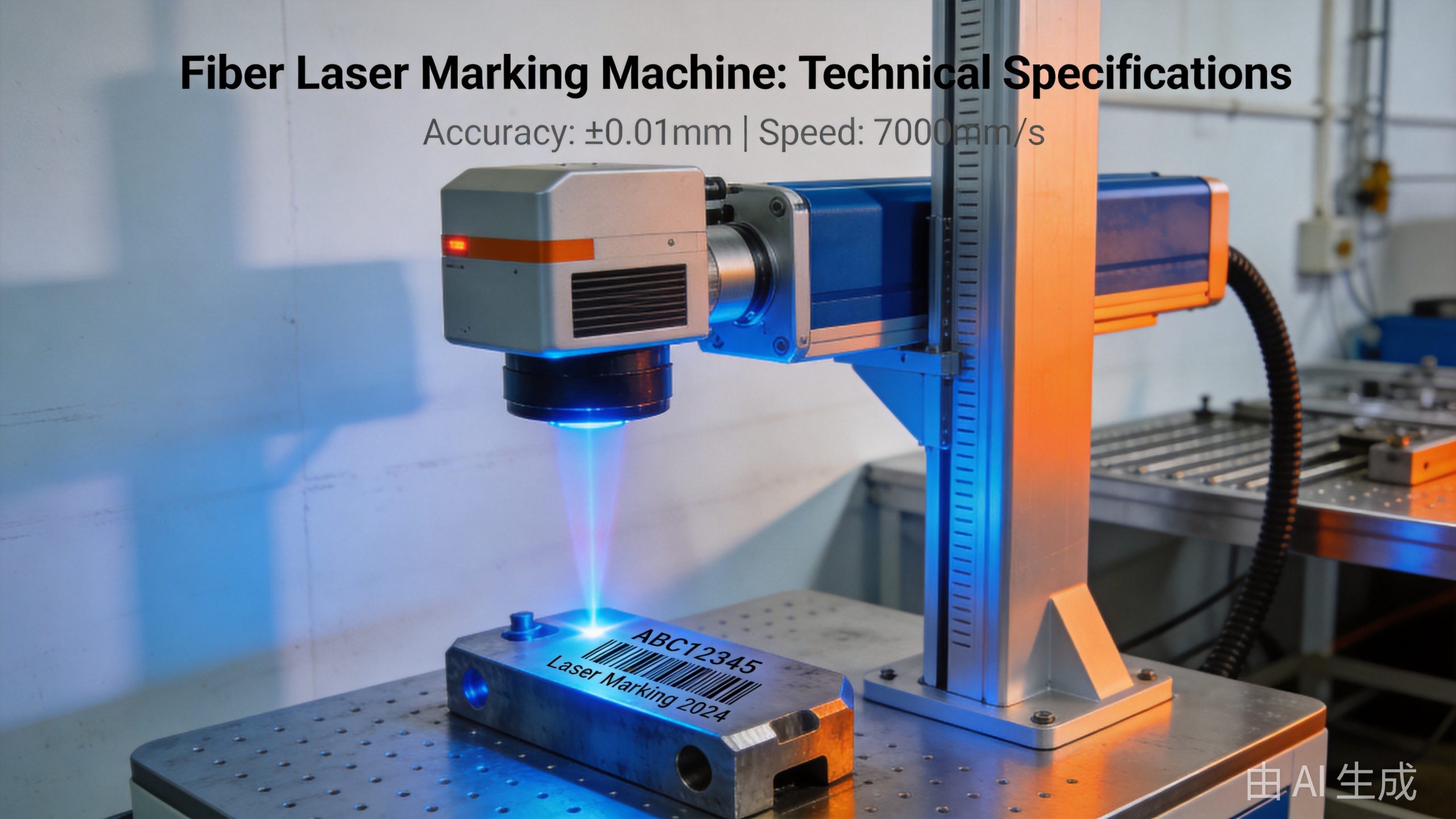
When shopping for a fiber laser marking machine, you’ll come across a long list of technical specifications — laser power, marking speed, scan speed, field size, beam quality, and more. But what do these numbers actually mean, and which ones matter most for your application?
In this complete reference guide, we break down every key parameter of fiber laser marking machines, explain what each one means, and provide typical values across different power levels and machine types. Whether you’re comparing models, evaluating quotes, or just want to understand the specs, this is your go-to resource.
—
## Quick Navigation
– [Laser Source Parameters](#laser-source-parameters)
– [Marking Performance Parameters](#marking-performance-parameters)
– [Scanning System Parameters](#scanning-system-parameters)
– [Optics & Focus Parameters](#optics–focus-parameters)
– [Worktable & Positioning Parameters](#worktable–positioning-parameters)
– [Cooling System Parameters](#cooling-system-parameters)
– [Machine & Enclosure Parameters](#machine–enclosure-parameters)
– [Software & Control Parameters](#software–control-parameters)
– [Parameter Comparison by Power Level](#parameter-comparison-by-power-level)
– [Which Parameters Matter Most?](#which-parameters-matter-most)
—
## Laser Source Parameters
The laser source is the heart of the marking machine. These parameters define the laser beam itself.
### Laser Power (Output Power)
**What it is**: The maximum average power the laser source can deliver, measured in watts (W).
**Why it matters**: Laser power affects:
– Marking speed (more power = faster)
– Mark depth (more power = deeper engraving)
– What materials can be marked
– Productivity
**Common power levels for fiber laser marking**:
| Power Level | Typical Applications | Mark Type |
|—|—|—|
| 20W | Most popular, general purpose | Surface marking, annealing, light engraving |
| 30W | Higher speed, deeper marking | Production marking, medium engraving |
| 50W | Heavy-duty, deep engraving | Deep engraving, thick material, high volume |
| 100W+ | Very deep engraving, mold making | Deep engraving, 3D relief, thick material removal |
**Important**: For most marking applications (text, barcodes, logos on metal), 20W or 30W is sufficient. Higher power is needed for deep engraving or high-speed production.
### Wavelength
**What it is**: The wavelength of the laser light, measured in nanometers (nm).
**Why it matters**: Wavelength determines which materials can be marked and how the mark is formed.
**Typical value**: ~1064 nm (near-infrared) for ytterbium-doped fiber lasers.
At 1064 nm:
– **Metals** (steel, stainless steel, aluminum, copper, brass, gold, silver) — marks well
– **Many plastics** (ABS, PC, nylon, PBT) — marks well (especially with laser-absorbing additives)
– **Ceramics** — marks with proper parameters
– **Glass** — generally doesn’t mark well at 1064 nm (UV or CO2 better for glass)
For comparison:
– **UV lasers** (355 nm): Mark glass, plastics, semiconductors — very fine marks, minimal heat
– **CO2 lasers** (10,600 nm): Mark wood, acrylic, leather, paper, some plastics
– **Green lasers** (532 nm): Mark semiconductors, flexible circuits, certain plastics
### Pulse Duration (Pulse Width)
**What it is**: How long each laser pulse lasts, measured in nanoseconds (ns).
**Why it matters**: Pulse duration affects:
– Mark quality and appearance
– Heat affected zone (shorter pulses = less heat)
– Peak power (shorter pulses = higher peak power for the same average power)
**Typical values for marking lasers**: 50–200 ns (nanoseconds)
– Shorter pulses (50–100 ns): Better for fine marking, less heat affected zone, good for heat-sensitive materials
– Longer pulses (100–200 ns): More total energy per pulse, better for deep engraving and annealing
Some advanced machines offer adjustable pulse width (MOPA lasers) for maximum flexibility.
### MOPA vs. Q-Switched
**What it is**: Two different technologies for creating pulsed laser output.
**Q-Switched**:
– Fixed or limited pulse duration options
– High peak power
– Good for general marking and engraving
– More common, lower cost
**MOPA (Master Oscillator Power Amplifier)**:
– Fully adjustable pulse duration (e.g., 2–200 ns)
– Adjustable pulse frequency independently of pulse energy
– More versatile — can optimize for different materials and mark types
– Better control over mark color and quality
– Higher cost
MOPA lasers are preferred for applications requiring fine control over mark quality, such as black marking on stainless steel or color marking on titanium.
### Pulse Frequency (Repetition Rate)
**What it is**: How many laser pulses are emitted per second, measured in kilohertz (kHz).
**Why it matters**:
– Higher frequency = more pulses per second = faster marking
– Lower frequency = more energy per pulse = deeper marks
– Affects mark appearance (higher frequency = smoother, more continuous lines)
**Typical range**: 20–200 kHz for standard marking; up to 1000 kHz+ for some MOPA systems.
– Low frequency (20–50 kHz): Deep engraving, high contrast marks
– Medium frequency (50–100 kHz): General purpose, most common
– High frequency (100–200 kHz): High-speed marking, fine lines, smooth surfaces
### Pulse Energy
**What it is**: The energy contained in each laser pulse, measured in millijoules (mJ).
**Calculation**: Pulse energy (mJ) = Average power (W) / Pulse frequency (kHz)
**Example**: A 20W laser at 20 kHz = 1 mJ per pulse.
**Typical values**: 0.1–2 mJ for standard marking; up to 10+ mJ for high-power engraving.
### Peak Power
**What it is**: The maximum power during a single pulse, measured in kilowatts (kW).
**Calculation**: Peak power (kW) = Pulse energy (mJ) / Pulse duration (ns) × 1,000,000
**Example**: 1 mJ pulse with 100 ns duration = 10 kW peak power.
Peak power is important for vaporizing material and creating deep marks.
### Beam Quality (BPP / M² Factor)
**What it is**: A measure of how “good” the laser beam is — how tightly it can be focused.
– **BPP (Beam Parameter Product)**: Measured in mm·mrad. Lower = better.
– **M² Factor**: How close to a perfect Gaussian beam. M² = 1 = perfect. Lower = better.
**Why it matters**: Better beam quality means:
– Smaller focal spot size
– Higher energy density
– Finer detail capability
– Better mark quality
– Larger depth of field (more consistent mark over varying distances)
**Typical values for marking lasers**:
– High-quality: BPP < 0.5 mm·mrad, M² < 1.2
- Standard: BPP 0.5–1.5 mm·mrad, M² 1.2–1.8
- Economy: BPP > 1.5 mm·mrad, M² > 1.8
For marking, beam quality is especially important for fine detail work (small text, high-resolution barcodes, micro-marking).
### Laser Source Lifetime
**What it is**: The expected operating lifetime before significant power degradation.
**Typical value**: 50,000–100,000 hours for fiber lasers. Many manufacturers warranty 100,000 hours.
This is one of the biggest advantages of fiber lasers over other laser types — very long lifetime with no maintenance.
—
## Marking Performance Parameters
### Marking Speed
**What it is**: How fast the machine can mark while maintaining quality, measured in millimeters per second (mm/s) or meters per second (m/s).
**Why it matters**: Marking speed directly affects productivity and throughput.
**Marking speed depends on**:
– Laser power (more power = faster)
– Material type and desired mark quality
– Mark complexity (text vs. filled graphics)
– Scan speed and field size
– Pulse frequency and overlap
**Typical marking speeds** (for reference):
| Mark Type | 20W | 30W | 50W |
|—|—|—|—|
| Vector text / outlines | 2000–5000 mm/s | 3000–7000 mm/s | 5000–10000 mm/s |
| Bitmap / filled area | 500–2000 mm/s | 1000–3000 mm/s | 2000–5000 mm/s |
| Deep engraving (0.1mm) | 50–200 mm/s | 100–400 mm/s | 200–800 mm/s |
| Annealing (stainless) | 100–500 mm/s | 200–800 mm/s | 300–1000 mm/s |
*Note: These are very approximate values. Actual speeds vary by material, mark quality requirements, and machine quality.*
### Mark Depth
**What it is**: How deep the laser can engrave into the material, measured in micrometers (µm) or millimeters (mm).
**Why it matters**: Determines whether the machine can produce permanent, tactile marks.
**Typical values**:
– Surface marking / annealing: 0–5 µm (no material removal)
– Light engraving: 5–20 µm
– Medium engraving: 20–50 µm
– Deep engraving: 50–200 µm
– Very deep engraving: 200–1000+ µm (requires high power and multiple passes)
Multiple passes increase depth but reduce effective marking speed.
### Minimum Line Width
**What it is**: The thinnest line the laser can produce, measured in micrometers (µm).
**Why it matters**: Determines how fine the details can be — important for small text, micro-marking, and high-resolution barcodes.
**Typical values**:
– Standard 20W: 20–50 µm
– High-quality 20W: 10–20 µm
– UV laser: 5–15 µm (finer than fiber)
Minimum line width depends on beam quality, focal length, and material.
### Mark Contrast
**What it is**: How visible the mark is against the base material.
**Depends on**:
– Material type
– Laser parameters (power, speed, frequency, pulse duration)
– Mark type (annealing, engraving, foaming, ablation)
Contrast is usually evaluated subjectively or with a contrast meter.
### Repeatability (Mark Consistency)
**What it is**: How consistently the machine produces the same mark quality from part to part.
**Why it matters**: Critical for production environments where every mark must be identical.
**Factors affecting repeatability**:
– Laser power stability
– Beam quality consistency
– Scanner accuracy and calibration
– Workpiece positioning accuracy
– Material consistency
Good quality machines can achieve > 99% mark consistency under controlled conditions.
—
## Scanning System Parameters
The galvanometer scanner is what moves the laser beam to create the mark. It’s one of the most critical components for marking quality and speed.
### Scanner Type
**What it is**: The type of galvanometer scanning system.
**Common types**:
– **2-axis galvo scanner**: Standard for most marking applications. X and Y mirrors deflect the beam.
– **3-axis galvo scanner**: Adds dynamic focusing (Z-axis) for 3D marking or varying surface heights.
– **High-speed galvo**: Faster motors for higher throughput.
– **Digital galvo**: Digital encoders for better accuracy and repeatability.
### Scan Speed
**What it is**: How fast the galvo mirrors can move the laser beam, measured in meters per second (m/s) or radians per second (rad/s).
**Why it matters**: Scan speed is the main factor determining marking speed for vector marks (outlines, text).
**Typical values**:
– Standard galvo: 2–5 m/s
– High-speed galvo: 5–10 m/s
– Ultra-high-speed: 10–20 m/s+
Note: The maximum scan speed isn’t always the effective marking speed. Acceleration/deceleration, corner quality, and mark quality requirements often limit actual speed.
### Positioning Accuracy
**What it is**: How accurately the scanner can position the beam at a target location.
**Typical values**:
– Standard: ±10–20 µm
– High-precision: ±3–10 µm
– Ultra-precision: ±1–3 µm
### Repeatability (Repositioning Accuracy)
**What it is**: How consistently the scanner returns to the same position.
**Typical values**:
– Standard: ±5–10 µm
– High-precision: ±2–5 µm
– Ultra-precision: ±1 µm
### Jump Speed
**What it is**: How fast the scanner moves between marks (when the laser is off), measured in m/s.
**Why it matters**: Jump speed affects throughput for parts with many separate marks.
Typically similar to or slightly faster than scan speed.
### Smallest Character Size
**What it is**: The smallest readable text character the machine can produce.
**Typical values**:
– Standard: 0.3–0.5 mm character height
– High-precision: 0.1–0.3 mm character height
– UV / micro-marking: < 0.1 mm
Depends on beam quality, lens focal length, and material.
---
## Optics & Focus Parameters
### F-theta Lens (Field Lens)
**What it is**: A special flat-field lens that focuses the scanned laser beam onto a flat plane. Unlike a normal lens, the f-theta lens ensures the focal point stays at the same distance across the entire scan field.
**Why it matters**: The f-theta lens determines:
- Marking field size
- Spot size (and thus mark resolution)
- Working distance
### Field Size (Marking Field)
**What it is**: The area that can be marked in a single position without moving the part or lens, measured in mm × mm.
**Why it matters**: Larger field size means you can mark bigger parts or more parts at once. But larger fields have larger spot sizes (lower resolution).
**Common field sizes**:
| Field Size | Typical Focal Length | Typical Spot Size | Best For |
|---|---|---|---|
| 70×70 mm | 80–100 mm | 10–20 µm | Fine detail, micro-marking |
| 110×110 mm | 160 mm | 15–30 µm | General purpose, most common |
| 175×175 mm | 254 mm | 25–50 µm | Larger parts, medium detail |
| 220×220 mm | 330 mm | 30–60 µm | Large marks, lower detail |
| 300×300 mm | 420 mm | 40–80 µm | Very large marks, coarse detail |
**Important**: Field size and spot size are trade-offs. Pick the smallest field that fits your parts for the best mark quality.
### Focal Length
**What it is**: The distance from the f-theta lens to the focal plane (workpiece surface).
Longer focal length = larger field size = larger spot size = lower power density.
### Spot Size (Focused Beam Diameter)
**What it is**: The diameter of the focused laser spot at the workpiece, measured in micrometers (µm).
**Why it matters**: Determines:
- Mark resolution (smaller spot = finer detail)
- Power density (smaller spot = higher intensity)
- Minimum line width
Spot size depends on beam quality and focal length:
- Better beam quality = smaller spot
- Shorter focal length = smaller spot
### Depth of Field (Focal Depth)
**What it is**: The distance range over which the spot size stays small enough for good quality marking.
**Why it matters**: Determines how much tolerance there is for variations in workpiece height or surface curvature.
**Typical values**:
- Short focal length (small field): 0.5–1 mm depth of field
- Medium focal length: 1–2 mm depth of field
- Long focal length (large field): 2–4 mm depth of field
Longer focal lengths have larger depth of field, which is useful for uneven surfaces or 3D parts.
### Beam Expander
**What it is**: An optical component that expands the laser beam diameter before it enters the scanner.
**Why it matters**: A larger beam entering the scanner results in a smaller focused spot (better resolution). Some machines include adjustable beam expanders for fine-tuning.
### Red Dot Pointer (Red Light Preview)
**What it is**: A low-power red diode laser that shows where the marking will be positioned.
**Why it matters**: Allows the operator to preview the mark position before firing the high-power laser. Essential for accurate setup.
---
## Worktable & Positioning Parameters
### Machine Type / Configuration
**Common types**:
- **Desktop / benchtop**: Compact, sits on a workbench. For small parts, low to medium volume.
- **Floor-standing / cabinet**: Larger enclosure, more workspace. Production environments.
- **Gantry / XYZ**: Automated 3-axis system for batch processing.
- **Robotic**: Scanner mounted on a robot arm for 3D marking.
- **Flying / on-the-fly**: Integrated with production lines — parts pass under the laser on a conveyor.
- **Portable / handheld**: Lightweight scanner head connected by fiber cable. For large parts or field use.
### Worktable Size
**What it is**: The dimensions of the marking area / worktable.
Determines the maximum part size that can be accommodated. Varies widely by machine size.
### Z-Axis Travel
**What it is**: The vertical adjustment range of the worktable or scanning head.
**Why it matters**: Determines the range of part heights that can be accommodated.
**Typical values**:
- Desktop: 100–200 mm
- Floor-standing: 200–500 mm
- Gantry: 300–1000 mm+
### Motorized vs. Manual Z-Axis
- **Manual**: Hand crank or screw adjustment. Lower cost, slower.
- **Motorized**: Electric or stepper motor adjustment. Faster, programmable, more consistent.
- **Auto-focus**: Sensor automatically finds and sets the correct focal distance. Most convenient.
### Rotary Attachment
**What it is**: An optional accessory that rotates cylindrical parts during marking.
**Why it matters**: Enables marking around the circumference of round parts — pipes, shafts, rings, bottles, etc.
**Key parameters**:
- Diameter range: What size parts it can hold
- Length capacity: Maximum part length
- Accuracy: How precisely it rotates
- Chuck type: Collet, three-jaw, etc.
### Positioning Accuracy (Overall)
**What it is**: The combined accuracy of the motion system and scanner — how accurately marks can be placed on the workpiece.
**Typical values**:
- Manual positioning: ±0.2–0.5 mm (operator-dependent)
- Motorized / fixture: ±0.05–0.2 mm
- Vision alignment: ±0.01–0.05 mm (camera-based alignment)
---
## Cooling System Parameters
### Cooling Type
- **Air cooling**: For low-power lasers (< 20W). Simple, compact.
- **Water cooling (chiller)**: For 20W+ and high-duty-cycle applications. More efficient, better temperature stability.
- **Built-in water cooling**: Compact chiller integrated into the machine cabinet.
### Cooling Capacity
**Typical values**:
- 20W laser: 0.5–1 kW cooling
- 30W laser: 1–2 kW cooling
- 50W laser: 2–3 kW cooling
- 100W laser: 4–6 kW cooling
### Temperature Stability
**Typical**: ±0.5°C or better for consistent laser performance.
---
## Machine & Enclosure Parameters
### Machine Dimensions & Weight
Varies widely by type and power:
| Machine Type | Typical Footprint | Weight |
|---|---|---|
| Desktop | 0.3–0.6 m² | 30–80 kg |
| Floor-standing | 0.5–1 m² | 100–300 kg |
| Gantry (small) | 1–3 m² | 300–1000 kg |
| Enclosed cabinet | 1–2 m² | 200–500 kg |
### Power Consumption
**What it is**: Total electrical power the machine draws.
**Typical values**:
| Laser Power | Total Machine Power Draw |
|---|---|
| 20W | 0.5–1 kW |
| 30W | 1–1.5 kW |
| 50W | 1.5–3 kW |
| 100W | 3–5 kW |
### Power Supply Requirements
- Voltage: 110V / 220V single-phase (most desktop machines) or 380V 3-phase (larger systems)
- Frequency: 50/60 Hz
- Amperage: 3–20 A depending on power
Fiber laser marking machines have very low power consumption compared to other laser machines.
### Safety Features
- **Safety enclosure**: Fully enclosed Class 1 laser product (safe to operate without eyewear)
- **Interlocks**: Door safety interlocks
- **Emergency stop**: E-stop button
- **Key switch**: Power authorization
- **Light curtain** (for open machines): Stops laser if operator reaches in
- **Laser safety labeling**: Clear warning labels
### Enclosure Class
- **Class 1**: Fully enclosed, safe for normal operation. Most industrial marking machines.
- **Class 4**: Open beam, requires laser safety eyewear and proper safety procedures. Some custom or large-format machines.
---
## Software & Control Parameters
### Marking Software
**What it is**: The software used to create mark content and control the machine.
**Common features**:
- Text, barcode, and graphic creation
- Import vector files (AI, DXF, PLT, SVG)
- Import bitmap images (BMP, JPG, PNG)
- Variable data (serial numbers, date codes, shift codes)
- Database connectivity
- Parameter setting and saving
- Mark preview
Popular software: EZCAD, MarkingMate, WinLase, and proprietary software from machine manufacturers.
### Supported File Formats
Vector: AI, DXF, PLT, SVG, DWG
Bitmap: BMP, JPG, PNG, GIF, TIF
Text: TrueType fonts, single-line fonts
Barcodes: Code 39, Code 128, QR, Data Matrix, PDF417, etc.
### Variable Data Capability
**What it is**: Whether the machine can automatically generate unique marks (serial numbers, date/time, etc.).
**Types of variable data**:
- Incremental serial numbers
- Date and time codes
- Shift codes
- Batch / lot numbers
- Database-driven marking (Excel, CSV, SQL)
- Random codes
- Barcode / QR code generation
### Communication Interfaces
For integration with production systems:
- **USB**: Most common, simple
- **Ethernet**: Network connectivity, remote operation
- **RS232 / Serial**: Legacy industrial communication
- **PLC interface**: For integration with automation lines
- **Digital I/O**: Trigger signals, pass/fail outputs
### Marking Modes
- **Vector marking**: Outline only — fastest, for text and line art
- **Fill marking**: Filled areas — slower, for logos and solid graphics
- **Bitmap marking**: Grayscale images — slowest, photo-like marks
- **3D marking**: On curved or uneven surfaces (requires 3-axis scanner)
- **Rotary marking**: Around cylindrical parts (requires rotary attachment)
---
## Parameter Comparison by Power Level
Here's a side-by-side comparison of typical fiber laser marking machine parameters:
| Parameter | 20W | 30W | 50W | 100W |
|---|---|---|---|---|
| **Laser type** | Pulsed fiber | Pulsed fiber | Pulsed fiber | Pulsed / CW |
| **Wavelength** | 1064 nm | 1064 nm | 1064 nm | 1064 nm |
| **Pulse frequency** | 20–100 kHz | 20–100 kHz | 20–80 kHz | 1–50 kHz |
| **Pulse duration** | 80–150 ns | 80–150 ns | 100–200 ns | 100–300 ns |
| **Beam quality (M²)** | < 1.5 | < 1.5 | < 1.8 | < 2.0 |
| **Standard field size** | 110×110 mm | 110×110 mm | 110–175 mm | 175–300 mm |
| **Min line width** | 20–30 µm | 20–30 µm | 30–40 µm | 40–60 µm |
| **Scan speed** | 2–7 m/s | 3–8 m/s | 3–8 m/s | 2–6 m/s |
| **Positioning accuracy** | ±0.01 mm | ±0.01 mm | ±0.02 mm | ±0.03 mm |
| **Repeatability** | ±0.005 mm | ±0.005 mm | ±0.01 mm | ±0.015 mm |
| **Mark depth (max)** | 5–20 µm | 10–30 µm | 30–100 µm | 100–500 µm |
| **Vector speed** | 2000–5000 mm/s | 3000–7000 mm/s | 5000–10000 mm/s | 3000–8000 mm/s |
| **Cooling** | Air / water | Water chiller | Water chiller | Water chiller |
| **Total power draw** | 0.5–1 kW | 1–1.5 kW | 1.5–3 kW | 3–5 kW |
| **Laser lifetime** | 100,000 hr | 100,000 hr | 100,000 hr | 100,000 hr |
| **Typical weight** | 30–80 kg | 50–150 kg | 100–250 kg | 200–500 kg |
*Note: These are approximate reference values. Actual parameters vary by manufacturer and model.*
---
## Which Parameters Matter Most?
The importance of each parameter depends on your specific application, but here's a general priority guide:
### Most Important
1. **Laser power** — must be sufficient for your material and mark depth requirements
2. **Beam quality** — affects mark quality, detail, and consistency
3. **Field size** — must fit your parts; don't go larger than needed (loses resolution)
4. **Scanner quality** — affects speed, accuracy, and reliability
### Important
5. **Pulse parameters** (frequency, duration) — critical for optimizing mark quality on your specific material
6. **Software capability** — must support your mark types (barcodes, variable data, etc.)
7. **Cooling system** — affects laser stability and lifetime
8. **Safety enclosure** — Class 1 enclosure is essential for most production environments
### Nice to Have
9. **MOPA capability** — adds flexibility for different materials and mark types
10. **Auto-focus** — faster setup, more consistent results
11. **Rotary attachment** — useful if you have cylindrical parts
12. **Vision alignment** — for high-accuracy positioning requirements
---
## How to Use This Guide
When comparing machines from different manufacturers:
1. **Compare apples to apples**: Same power level, same field size, same configuration
2. **Ask for mark samples**: Specs don't tell the whole story. Test on your actual material and parts.
3. **Check the fine print**: "Maximum marking speed" may be for simple vector marks at low quality. What's the speed for your specific mark?
4. **Consider total cost of ownership**: Fiber lasers have very low operating costs, but factor in consumables (lenses, filters) and maintenance.
5. **Evaluate the software**: You'll use it every day — make sure it's intuitive and supports what you need.
For help choosing the right machine, see our [Fiber Laser Marking Machine Buyer's Guide](https://www.transonlaser.com/fiber-laser-marking-machine-complete-buyers-guide/) or check out [how much they cost](https://www.transonlaser.com/how-much-does-a-fiber-laser-marking-machine-cost/).
---
**Further Reading:**
- [Fiber Laser Marking Machine: Complete Buyer's Guide](https://www.transonlaser.com/fiber-laser-marking-machine-complete-buyers-guide/)
- [How Much Does a Fiber Laser Marking Machine Cost?](https://www.transonlaser.com/how-much-does-a-fiber-laser-marking-machine-cost/)
- [How Does a Fiber Laser Marking Machine Work?](https://www.transonlaser.com/how-does-a-fiber-laser-marking-machine-work/)
- [Fiber vs CO2 vs UV vs Diode Laser Marking Comparison](https://www.transonlaser.com/fiber-vs-co2-vs-uv-vs-diode-laser-marking-comparison/)
- [12 Industrial Applications of Laser Marking](https://www.transonlaser.com/12-industrial-applications-of-laser-marking/)