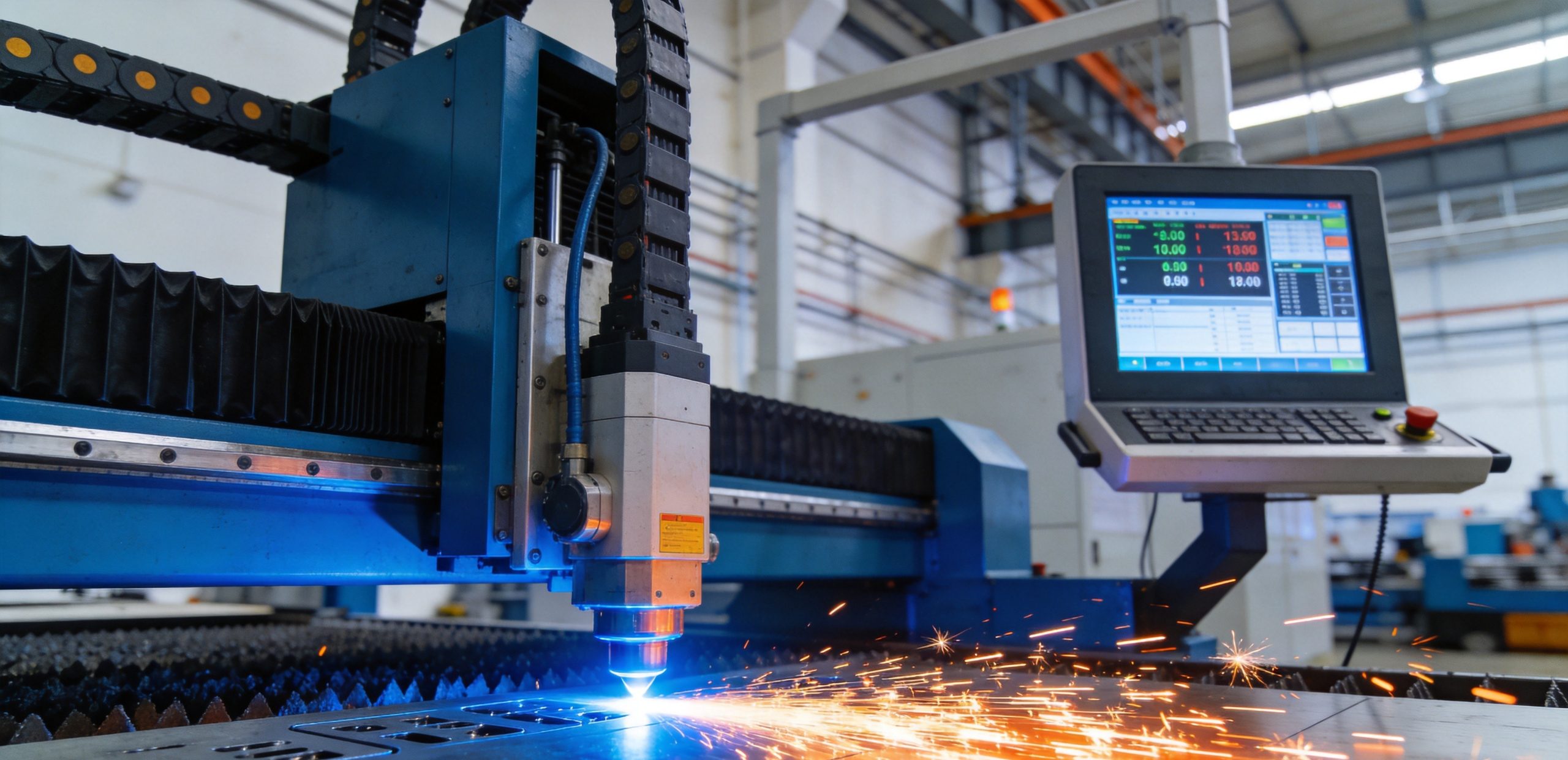
When shopping for a fiber laser cutting machine, the list of technical parameters can feel overwhelming. Power, bed size, laser source brand, cutting speed, acceleration, positioning accuracy—the spec sheet is full of numbers, and it’s not always obvious which ones actually matter for your specific application. Buying too much machine wastes money; buying too little means you can’t take the jobs you want.
This guide breaks down the key parameters of a fiber laser cutting machine, explains what each one means in practical terms, and walks through how to match machine specifications to your actual production needs. Whether you’re buying your first laser or upgrading to a higher-power machine, understanding these parameters will help you make a confident, cost-effective decision.
Why Parameters Matter More Than You Think
Two fiber laser cutters with the same advertised power can perform very differently in real production. A 3000W machine from one manufacturer might cut 10mm mild steel at 2m/min, while another 3000W machine from a different brand only manages 1.2m/min on the same material. The difference comes down to beam quality, motion system performance, gas delivery, and control software—parameters that are often buried in the fine print.
The key insight is this: advertised power is just the starting point. What actually determines your productivity and cut quality is how effectively that power is delivered to the workpiece, how fast and accurately the machine moves, and how well the overall system is engineered.
In this guide, we’ll cover every major parameter category and explain what to look for.
Laser Source Parameters
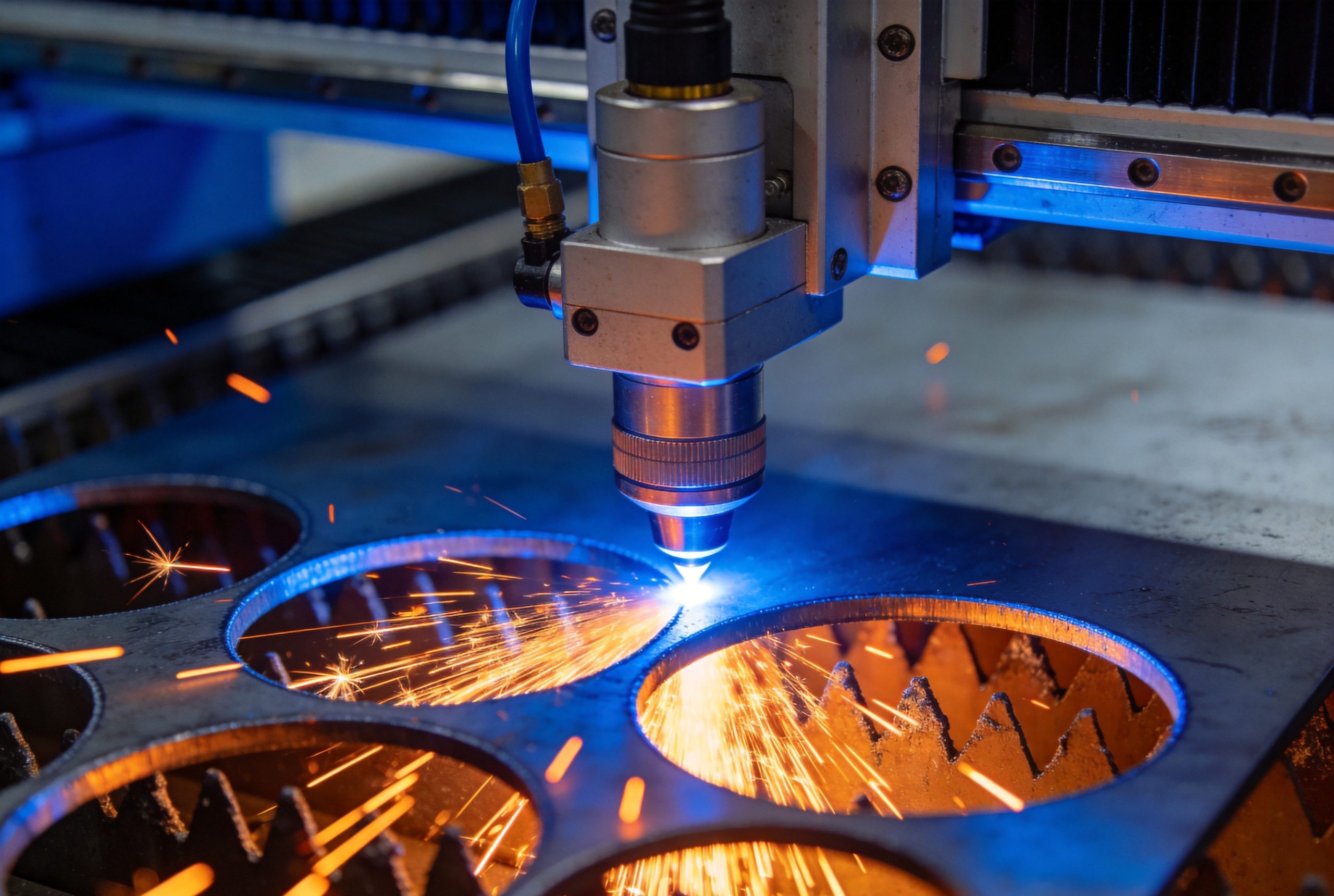
The laser source is the heart of the machine, and its specifications directly affect cutting performance, reliability, and operating cost.
1. Laser Power (Rated Output Power)
Rated power is the number everyone looks at first—1500W, 3000W, 6000W, 12000W, and so on. It represents the maximum optical power the laser source can deliver through the cutting head.
What it determines:
- Maximum material thickness you can cut
- Cutting speed at any given thickness (up to a point)
- Purchase price and operating cost
How to choose the right power level:
- 1000W–1500W: Best for thin sheet metal (up to 6mm mild steel, 4mm stainless, 3mm aluminum). Suitable for job shops doing mostly light-gauge work, signage, and sheet metal fabrication where most material is under 3mm.
- 2000W–3000W: The sweet spot for general-purpose sheet metal cutting. Cuts up to 12mm mild steel, 8mm stainless, 6mm aluminum. Handles the vast majority of common sheet metal jobs and offers good balance of speed, quality, and cost.
- 4000W–6000W: For shops that regularly cut medium-to-thick plate (up to 20mm mild steel, 12mm stainless, 10mm aluminum). Also provides significantly faster cutting on thinner materials compared to lower-power machines.
- 8000W–12000W+: High-power machines for heavy plate cutting (25mm+ mild steel, 16mm+ stainless, 12mm+ aluminum). These machines are typically used in heavy manufacturing, structural steel, and thick-plate fabrication.
Important caveat: Cutting speed does not scale linearly with power. Doubling the power from 3000W to 6000W does not double your cutting speed. On thin material, the speed difference may be modest because the motion system becomes the bottleneck. The real benefit of higher power is the ability to cut thicker material and maintain good edge quality at thicknesses where lower-power machines struggle.
2. Laser Source Brand and Type
The brand and type of laser source significantly impact reliability, beam quality, and service life.
Major fiber laser source brands:
- IPG Photonics: The industry standard and most widely used brand. Known for reliability, consistent beam quality, and a global service network. Generally the most expensive option.
- Raycus: The leading Chinese fiber laser source brand. Offers good performance at a lower price point than IPG, with improving reliability and service support. Very popular in mid-range machines.
- Max Photonics: Another major Chinese brand, competing closely with Raycus on price and performance.
- nLIGHT: US-based brand known for high beam quality and advanced features like adjustable beam mode. Popular in higher-end applications.
Single-mode vs. multi-mode:
- Single-mode lasers produce a very small, high-quality beam (TEM00 mode), ideal for cutting thin materials with high precision and narrow kerf widths. Most common in power levels up to about 3000W.
- Multi-mode lasers combine multiple fiber outputs into a larger beam, which delivers more total power but with slightly lower beam quality. Better for thicker material cutting where you need more energy input rather than the smallest possible spot size.
For most general sheet metal cutting applications, a multi-mode source from a reputable brand provides the best balance of performance and cost. For high-precision thin-sheet work, single-mode is worth the premium.
3. Beam Quality (BPP or M² Factor)
Beam quality describes how tightly the laser beam can be focused and how well it maintains its focus through the material. It’s typically measured as Beam Parameter Product (BPP) in mm·mrad, or as the M² factor.
Lower BPP or M² = better beam quality.
Good beam quality means:
- Narrower kerf (cut width), so less material is wasted
- Better edge quality, with less dross and smoother surfaces
- Deeper and more consistent cuts through thick material
- More consistent performance across the entire cutting bed
Entry-level machines often have higher BPP values (8–12 mm·mrad), while premium machines can achieve BPP values of 4 mm·mrad or lower. For most production cutting, a BPP under 6 mm·mrad is considered good.
4. Modulation Frequency and Pulse Capability
Modern fiber lasers can modulate their output at high frequencies, which is important for certain cutting techniques—particularly piercing and cutting thick materials where pulse modulation helps control heat input and improves edge quality.
Look for a laser source with modulation frequency of at least 20kHz, and ideally 50kHz or higher. Higher modulation capability gives the control software more flexibility to optimize cutting parameters for different materials and thicknesses.
Motion System Parameters
The motion system—gantry, drives, rails, and motors—determines how fast and accurately the cutting head moves over the material. A great laser source on a poor motion system will never reach its full potential.
5. Maximum Positioning Speed
Maximum positioning speed (often listed as “rapid traverse speed”) is how fast the gantry can move when not cutting. Higher speeds reduce non-productive time between cuts, which matters most for parts with many small features or many parts nested on a single sheet.
Typical positioning speeds range from 80m/min on entry-level machines to 140m/min or more on high-performance machines. For most sheet metal work, 100–120m/min is more than sufficient; the difference between 120 and 140m/min is rarely noticeable in real production.
6. Maximum Cutting Speed
Maximum cutting speed is the fastest the machine can move while actually cutting. This is more relevant than positioning speed because it directly affects production time.
However, the advertised maximum cutting speed is almost always for the thinnest material at the highest power. A 3000W machine might advertise a 20m/min cutting speed, but that’s only for 1mm mild steel. On 6mm steel, the same machine might cut at 3–4m/min.
Always ask for cutting speed data for the specific materials and thicknesses you actually work with, not just the headline number.
7. Acceleration (G-force)
Acceleration—often measured in G’s (1G = 9.8m/s²)—is one of the most underrated parameters. It determines how quickly the machine can speed up and slow down between cuts and around corners.
High acceleration is especially important for parts with many small features, holes, and sharp corners. A machine with 1.5G acceleration will complete a complex part much faster than a machine with 0.8G acceleration, even if both have the same maximum cutting speed.
What to look for:
- Entry-level machines: 0.5–0.8G
- Mid-range machines: 1.0–1.5G
- High-performance machines: 2.0–3.0G+
For general sheet metal work with a mix of part sizes, aim for at least 1.0G acceleration. If you do a lot of small parts or intricate shapes, 1.5G or higher will make a noticeable difference in productivity.
8. Positioning Accuracy and Repeatability
Positioning accuracy is how close the machine can get to a programmed position. Repeatability is how consistently it returns to the same position.
Typical specifications:
- Positioning accuracy: ±0.03mm to ±0.05mm
- Repeatability: ±0.02mm to ±0.03mm
For most sheet metal cutting, these levels are more than sufficient. The cut kerf itself is typically 0.1–0.3mm wide, so positioning accuracy of ±0.05mm is well within acceptable tolerances.
If you need very high precision—for example, cutting parts that will be assembled with tight fits or making precision tooling components—look for machines with better accuracy specifications and verify them with actual sample cuts.
9. Drive System Type
The drive system moves the gantry and cutting head. There are two main types:
Ball screw drives use a rotating screw to move the carriage. They are precise, affordable, and good for lower-speed applications, but they have limitations on speed and acceleration due to the mechanical nature of the screw.
Linear motor drives use magnetic force to move the carriage directly, with no mechanical transmission. They offer much higher speeds, accelerations, and precision, and they have fewer wearing parts. However, they are more expensive and require more sophisticated control systems.
For most general-purpose fiber laser cutting, ball screw drives with good quality components are perfectly adequate and offer better value. Linear motors are worth the premium for high-production environments or applications requiring the highest precision and speed.
10. Guide Rail Type and Quality
The guide rails support the gantry and carriage as they move. Higher quality rails provide smoother motion, better accuracy, and longer service life.
Look for machines using linear guide rails from reputable brands like Hiwin, PMI, or THK. The size and number of rails also matter—wider gantries with larger rails are stiffer and more stable, especially at high speeds.
Bed and Frame Parameters
11. Working Area (Bed Size)
The working area determines the maximum sheet size you can process. Common sizes include:
- 1300×900mm (1390): Small format, for prototyping, small parts, and low-volume production
- 1500×3000mm (1530): The most popular standard size, fits a full 4×8ft sheet (1220×2440mm) with room to spare
- 2000×4000mm (2040): Larger format for bigger sheets or higher-volume production
- 2000×6000mm (2060) and larger: For heavy plate and structural steel fabrication
How to choose: Start with the largest sheet size you regularly work with. If you mostly cut 4×8ft sheets, a 1530 machine is the standard choice. If you regularly cut 5×10ft sheets, go for 2040. Also consider whether you might need larger capacity in the future—upgrading bed size later is essentially impossible.
12. Frame Construction and Quality
The machine frame must be rigid enough to support high-speed, high-acceleration cutting without vibration. A flimsy frame will cause poor cut quality, faster wear, and inconsistent results.
What to look for:
- Welded steel tube frame (not cast iron, which is more brittle)
- Stress-relieved frame (annealed or vibratory stress relief) to prevent deformation over time
- Heavy overall machine weight—more weight generally means a stiffer, more stable machine
- Gantry design: double-drive (both sides driven) is better than single-drive for accuracy and consistency
A 1530 fiber laser cutter should weigh at least 3000–4000kg for a mid-range machine, and 5000kg+ for a high-performance model. If a machine seems surprisingly light for its size, the frame is probably undersized.
Cutting Head and Gas System Parameters
13. Cutting Head Type and Auto-Focus
The cutting head focuses the laser beam onto the workpiece and delivers the assist gas. Modern machines use auto-focus cutting heads that automatically adjust the focal position for different materials and thicknesses.
Key features to look for:
- Auto-focus capability: Essential for efficient production with mixed material types and thicknesses. Manual focus adjustment slows down changeovers and introduces operator error.
- Focus position range: A wider range (typically ±10mm to ±20mm) gives more flexibility for different cutting applications.
- Nozzle type and quick-change capability: Different nozzles are used for different materials and gases. Quick-change nozzle systems reduce downtime.
- Non-contact height sensing (capacitive sensor): Maintains consistent standoff distance between the nozzle and the material, even if the sheet is slightly warped or uneven. This is standard on all modern machines.
14. Assist Gas System
The assist gas—oxygen, nitrogen, or compressed air—blows molten material out of the cut and protects the lens from spatter. The gas system’s design affects cut quality, operating cost, and consistency.
Gas types and their uses:
- Oxygen: Used for cutting mild steel. The exothermic reaction between oxygen and iron actually adds energy to the cut, increasing cutting speed. Produces a slightly oxidized cut edge.
- Nitrogen: Used for cutting stainless steel, aluminum, copper, and brass. Produces a clean, oxide-free edge with good surface finish. More expensive than oxygen.
- Compressed air: Can be used for cutting thin materials (typically 3mm and under) at lower cost than nitrogen. Cut quality is generally not as good as nitrogen, but it’s adequate for many applications.
Gas system considerations:
- Does the machine support all three gas types?
- Is there a gas pressure regulator and flow control for consistent delivery?
- What is the maximum gas pressure? (Higher pressure is needed for thicker materials and nitrogen cutting—look for at least 15–20 bar capability.)
- Is there an auto-gas-switching feature for mixed production?
15. Lens and Protective Window Quality
The focusing lens and protective windows are consumable items that affect cut quality and operating cost. High-quality lenses last longer and maintain better beam focus.
Look for machines using lenses from reputable suppliers (like II-VI or Laserline) and check the replacement cost of consumables—this is a significant ongoing expense.
Control System and Software Parameters
16. CNC Controller
The CNC controller is the brain of the machine. It interprets the cutting program and coordinates all machine movements.
Key considerations:
- Controller brand: Popular options include CypCut (the most common in Chinese machines), FANUC, Siemens, and Beckhoff. CypCut is well-established for laser cutting and offers good functionality at a reasonable price.
- Ease of use: The software interface should be intuitive for your operators.
- Nesting capability: Built-in nesting software can significantly improve material utilization. Check whether nesting is included or an extra-cost option.
- Cutting parameter database: A good controller comes with pre-loaded cutting parameters for common materials and thicknesses, which speeds up setup and reduces operator error.
- Remote monitoring and diagnostics: Many modern controllers support remote access for troubleshooting and production monitoring.
17. Cutting Technology Features
Advanced control features can significantly improve cut quality and productivity:
- Pierce detection: Automatically detects when piercing is complete and begins cutting, reducing cycle time.
- Beam compensation: Adjusts the cut path to account for kerf width automatically.
- Corner control: Automatically reduces speed at corners to prevent overburn and maintain sharp angles.
- Lead-in/lead-out optimization: Automatically adds and optimizes lead-in and lead-out paths for clean part entry and exit.
- Common line cutting: Cuts shared edges between adjacent parts in a single pass, saving time and gas.
- Micro-joint / tabbing: Automatically adds small tabs to hold parts in the sheet, preventing them from tipping up and damaging the cutting head.
Cooling and Dust Collection
18. Chiller Capacity
The laser source and cutting head generate significant heat and require precise cooling. The chiller must be properly sized for the laser power.
A good rule of thumb is that the chiller cooling capacity should be roughly 3–4 times the laser power in kilowatts. For example, a 3000W laser needs about a 9000–12000 kcal/h chiller. An undersized chiller will cause the laser to overheat and reduce power output or shut down.
19. Dust Collection / Fume Extraction
Laser cutting generates fumes and particulate matter that must be extracted for safety, equipment protection, and cut quality.
What to look for:
- Is a dust collector included, or is it optional?
- What is the airflow capacity (in m³/h or CFM)? Higher capacity is better for thicker materials and higher power.
- Does it have a filter system that meets local environmental regulations?
- Is the extraction system properly designed for the cutting bed size?
Adequate fume extraction is not just an environmental concern—it also keeps the machine’s optics cleaner, reducing maintenance and improving cut quality consistency.
Automation Options
20. Loading and Unloading Systems
For higher-volume production, automated material handling can significantly increase productivity:
- Manual loading: Standard on most machines, suitable for low-to-medium volume.
- Semi-automatic (pallet changer): Dual-pallet system that swaps between a cutting pallet and a loading/unloading pallet, reducing machine idle time.
- Fully automatic loading/unloading: Automated sheet loading and finished part/unloading system, for lights-out production.
- Storage tower integration: Automated sheet storage and retrieval system that feeds the laser cutter.
The right level of automation depends on your production volume, labor costs, and how many different materials and thicknesses you work with. For many job shops, a pallet changer is the sweet spot—significant productivity gain without the high cost of full automation.
How to Match Parameters to Your Needs
With so many parameters to consider, it’s easy to get lost in the spec sheet. Here is a practical framework for choosing the right machine:
Step 1: Define Your Materials and Thicknesses
Start with the materials you cut most often and the range of thicknesses. This will immediately narrow down your power requirements.
Make a list of:
- Your top 3–5 materials (mild steel, stainless, aluminum, etc.)
- The thickness range for each material
- The thickness you cut most frequently (not just the maximum)
Use the most common thickness, not the maximum, as your baseline. Then make sure the machine can handle your thickest material at acceptable quality and speed.
Step 2: Estimate Your Production Volume
How many sheets do you cut per day or per week? What’s your part mix—mostly large parts, or many small parts?
Higher volume justifies higher speed, acceleration, and automation features. If you’re only cutting a few sheets a day, a 12000W machine with full automation will sit idle most of the time and take forever to pay for itself.
Step 3: Consider Your Quality Requirements
What level of cut quality do your customers demand?
- General fabrication: Dross-free cuts that need minimal deburring → mid-range machine is fine
- Precision parts: Tight tolerances, smooth edge finish → invest in better beam quality and motion system
- Cosmetic parts: Visible surfaces, no scratches or discoloration → need good nitrogen cutting capability and high-quality motion
Step 4: Calculate Total Cost of Ownership
Don’t just compare purchase prices. Consider:
- Consumables cost: Nozzles, lenses, protective windows, ceramics
- Gas cost: Oxygen and nitrogen are significant ongoing expenses
- Electricity cost: Higher power machines use more electricity
- Maintenance cost: Service contracts, spare parts, labor
- Labor cost: Can one operator run multiple machines? Does automation reduce labor requirements?
- Resale value: Well-known brands hold their value better
A machine that costs 20% more upfront but has 30% lower operating costs and 50% higher productivity may actually be the better financial decision.
Step 5: Test with Actual Parts
The best way to evaluate a machine is to send sample parts and see the results. Ask the supplier to cut your actual parts on the machine you’re considering, using your materials. Then evaluate:
- Cut quality (edge smoothness, dross, taper)
- Cutting speed
- Setup time
- Ease of use
- Consistency across the bed
Common Mistakes to Avoid
Buying more power than you need. It’s tempting to go for the highest power you can afford, “just in case.” But if you rarely cut material thicker than 6mm, a 6000W machine is mostly wasted money. The extra power won’t make your thin-sheet work much faster, and it increases your electricity and gas costs.
Ignoring motion system quality. A great laser source on a cheap frame is still a cheap machine. If the gantry vibrates or the motion is inaccurate, you’ll get poor cut quality regardless of laser power. Always evaluate the whole system, not just the laser source brand and power.
Focusing only on maximum speed. The advertised maximum cutting speed is almost always for the thinnest material. For the thicknesses you actually cut, the real speed may be much lower. Always ask for cutting data for your specific materials and thicknesses.
Neglecting after-sales support. A laser cutter is a complex machine, and things will go wrong. A supplier that responds quickly and has local service support can save you days or weeks of downtime. The cheapest machine is not a good deal if it sits broken for a month waiting for a service technician.
Underestimating facility requirements. Fiber laser cutters need proper electrical supply, compressed air, gas connections, fume extraction, and floor space. Make sure your facility can accommodate the machine before you buy it.
Conclusion
Choosing the right fiber laser cutting machine means looking beyond the headline power number and understanding how all the parameters work together. The laser source, motion system, bed size, cutting head, gas system, control software, and automation options all contribute to the machine’s real-world performance and productivity.
Start with your actual production requirements—the materials you cut, the thicknesses, the volume, and the quality needs—and work backward to find the machine that matches. Don’t buy the most powerful machine you can afford; buy the one that’s the right size for your work today with a little room to grow.
Transon Laser offers a range of fiber laser cutting machines at different power levels and configurations, from 1500W entry-level models to 12000W high-production machines. Their engineering team can help you match machine parameters to your specific production requirements, so you get the right machine at the right price.