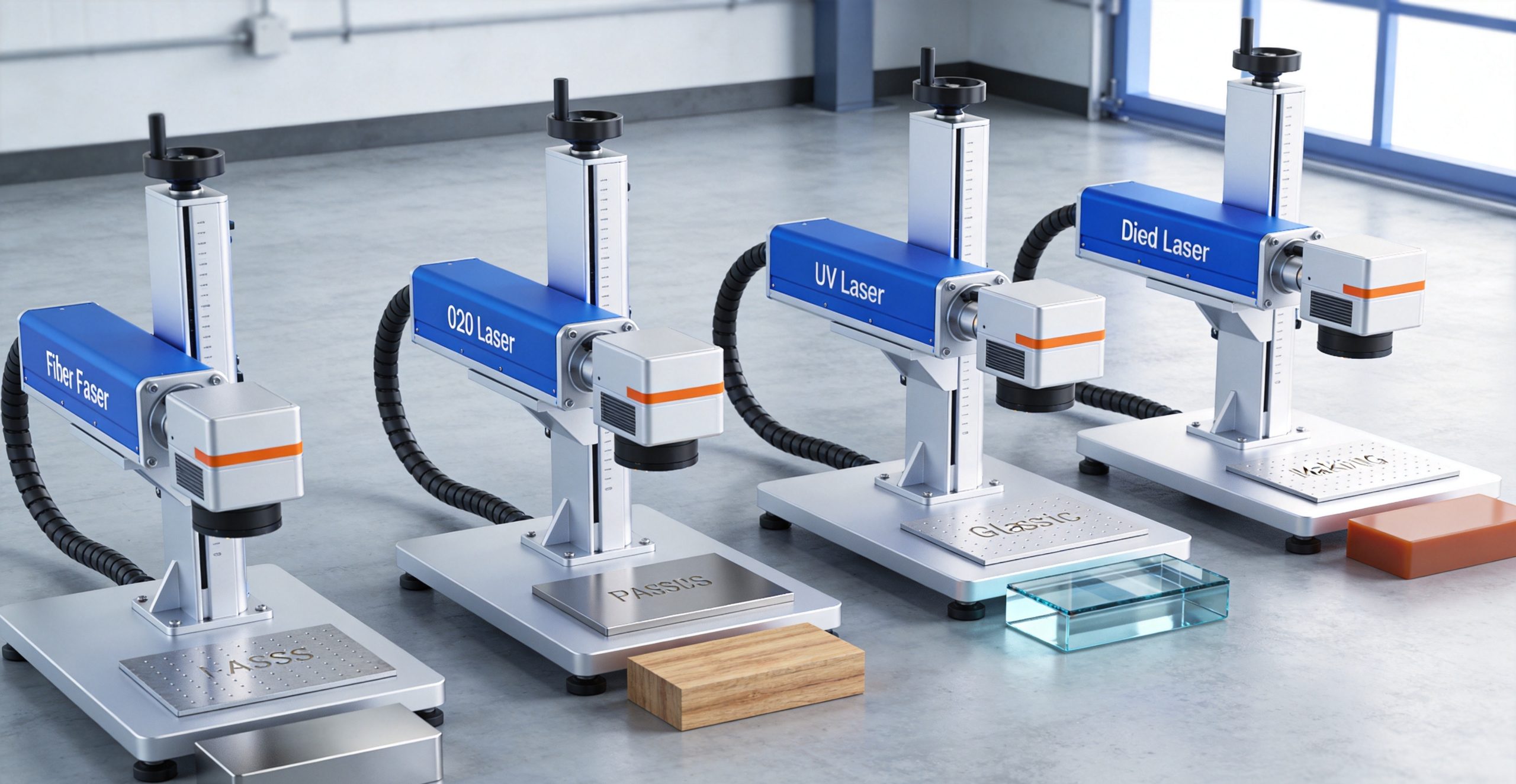
Laser marking has revolutionized product identification, traceability, and branding across industries. But with so many laser marking technologies available — fiber laser, CO2 laser, UV laser, and diode laser — choosing the right one for your application can be confusing.
Each laser type has unique characteristics that make it better suited for certain materials, marking styles, and production environments. Pick the wrong one, and you could end up with poor mark quality, damaged parts, or unnecessary expense.
In this comprehensive guide, we compare four major laser marking technologies across 12 key factors: marking quality, material compatibility, speed, cost, maintenance, and more. We’ll also help you determine which type is best for your specific application.
—
Quick Summary: Key Differences at a Glance
| Factor | Fiber Laser | CO2 Laser | UV Laser | Diode Laser |
|---|---|---|---|---|
| Wavelength | 1064 nm (near-IR) | 10,600 nm (far-IR) | 355 nm (UV) | 808/915 nm (near-IR) |
| Marking Quality | Excellent | Good-Great | Exceptional | Good |
| Marking Speed | Very Fast | Medium-Fast | Medium | Fast |
| Precision | Very High | Medium | Ultra High | High |
| Metal Marking | ✓ Excellent | ✗ Poor | ✓ Good | ✓ Good |
| Plastic Marking | ✓ Good | ✓ Excellent | ✓ Exceptional | △ Fair |
| Glass/Ceramic | △ Limited | ✓ Good | ✓ Excellent | ✗ Poor |
| Wood/Leather | △ Limited | ✓ Excellent | ✗ Poor | ✗ Poor |
| Equipment Cost | Medium-High | Low-Medium | Very High | Low |
| Lifetime | 100,000+ hrs | 5,000–20,000 hrs | 10,000–30,000 hrs | 15,000–30,000 hrs |
| Maintenance | Minimal | Moderate | High | Low-Medium |
| Best For | Metals, plastics, high-volume | Non-metals, engraving, cutting | Electronics, medical, ultra-fine | Simple marking, low-cost |
—
1. How Each Laser Marking Technology Works
Fiber Laser Marking
Fiber lasers use optical fiber doped with rare-earth elements (typically ytterbium) as the gain medium. Pump diodes feed light into the fiber, which amplifies it to produce a high-quality, focused laser beam at 1064 nm wavelength (near-infrared).
- Beam quality: Excellent (M² < 1.5)
- Focus spot size: 10–50 μm
- How it marks: Absorbed well by most metals and many plastics. Creates marks through annealing, engraving, or foaming depending on material and settings.
CO2 Laser Marking
CO2 lasers use a gas mixture (carbon dioxide, nitrogen, helium) excited by electrical discharge to produce a laser beam at 10,600 nm wavelength (far-infrared).
- Beam quality: Good (M² ~ 1.1–1.5)
- Focus spot size: 50–200 μm
- How it marks: Absorbed by organic materials (wood, leather, paper, plastics). Creates marks through ablation, melting, or burning. Does NOT mark most metals well (reflects off the surface).
UV Laser Marking
UV lasers use frequency-tripled laser light to produce a beam at 355 nm wavelength (ultraviolet). Most UV marking lasers are diode-pumped solid-state (DPSS) lasers.
- Beam quality: Exceptional (M² < 1.2)
- Focus spot size: 5–20 μm
- How it marks: “Cold marking” — breaks molecular bonds rather than heating. Creates ultra-fine, high-contrast marks with minimal heat-affected zone. Works on nearly all materials including glass, ceramics, and sensitive electronics.
Diode Laser Marking
Diode lasers use semiconductor diodes to directly produce laser light at 808 nm or 915 nm wavelength (near-infrared). They’re the simplest and lowest-cost laser type.
- Beam quality: Moderate (M² ~ 1.5–3)
- Focus spot size: 50–100 μm
- How it marks: Similar to fiber laser but with lower beam quality. Best for basic marking on metals and some plastics. Often used in portable and entry-level machines.
—
2. Marking Quality & Precision
Winner: UV Laser (highest precision) / Fiber Laser (best overall quality)
UV Laser Quality
- Ultra-fine detail: Can produce marks as small as 10μm
- Cold process: Virtually no heat-affected zone (HAZ)
- High contrast: Excellent contrast on most materials
- Smooth edges: Very clean, sharp mark edges
- No surface distortion: Material surface remains flat and unchanged
- Best for: Microelectronics, medical devices, fine serial numbers, 2D codes on small parts
Fiber Laser Quality
- Excellent detail: Can produce marks as small as 20μm
- Clean marks: Sharp edges, consistent quality
- Multiple mark types: Annealing (color change), engraving (material removal), foaming (raised mark)
- Good contrast: Black, white, or colored marks depending on material and settings
- Best for: Metal parts, industrial components, barcodes, QR codes, logos
CO2 Laser Quality
- Good detail: Mark size down to ~100μm
- Surface engraving: Creates depth through material removal
- Variable contrast: Depends heavily on material type
- Best for: Wood engraving, leather marking, fabric, acrylic, paper
Diode Laser Quality
- Good basic quality: Suitable for text and simple graphics
- Larger spot size: Less fine detail than fiber or UV
- Functional marks: Good for identification but not high-precision work
- Best for: Simple text marking, basic logos, entry-level applications
—
3. Material Compatibility
| Material | Fiber Laser | CO2 Laser | UV Laser | Diode Laser |
|---|---|---|---|---|
| Stainless Steel | ✓ Excellent | ✗ Poor | ✓ Good | ✓ Good |
| Carbon Steel | ✓ Excellent | ✗ Poor | ✓ Good | ✓ Good |
| Aluminum | ✓ Excellent | ✗ Poor | ✓ Good | △ Fair |
| Brass/Copper | ✓ Good | ✗ Poor | ✓ Good | △ Poor |
| Gold/Silver | ✓ Good | ✗ Poor | ✓ Excellent | △ Fair |
| ABS Plastic | ✓ Excellent | ✓ Good | ✓ Excellent | △ Fair |
| PVC | △ Fair | ✓ Good | ✓ Excellent | ✗ Poor |
| PE/PP | △ Fair-Good | ✓ Good | ✓ Excellent | ✗ Poor |
| Polycarbonate | ✓ Good | ✓ Good | ✓ Excellent | △ Fair |
| Glass | △ Limited (fragile) | ✓ Good | ✓ Excellent | ✗ Poor |
| Ceramic | △ Limited | ✓ Good | ✓ Excellent | ✗ Poor |
| Wood | ✗ Poor (burns) | ✓ Excellent | ✗ Poor | ✗ Poor |
| Leather | △ Fair | ✓ Excellent | ✗ Poor | ✗ Poor |
| Acrylic | ✗ Poor | ✓ Excellent | ✓ Good | ✗ Poor |
| Paper/Cardboard | ✗ Poor (burns) | ✓ Excellent | ✗ Poor | ✗ Poor |
| Silicon Wafer | ✓ Good | ✗ Poor | ✓ Excellent | ✗ Poor |
Key takeaway:
- All metals → Fiber laser is the default choice (best balance of quality, speed, cost)
- All non-metals → CO2 laser is most versatile and cost-effective
- Ultra-fine / sensitive / mixed materials → UV laser is the premium choice
- Budget metal marking → Diode laser is the entry-level option
—
4. Marking Speed
Winner: Fiber Laser
| Laser Type | Typical Marking Speed | Relative Speed |
|---|---|---|
| Fiber Laser | 500–5,000 mm/s | 10x (fastest) |
| Diode Laser | 300–2,000 mm/s | 6x |
| CO2 Laser | 200–1,500 mm/s | 4x |
| UV Laser | 100–800 mm/s | 2x |
Why fiber is fastest:
- High peak power and pulse repetition rates
- Excellent beam quality allows fast scanning with galvanometer scanners
- High absorption in metals means less dwell time needed
- Can mark at very high speeds while maintaining quality
Speed comparison example (marking a 20x20mm QR code on stainless steel):
- Fiber laser: 0.5–2 seconds
- Diode laser: 2–5 seconds
- UV laser: 3–8 seconds
- CO2 laser: Not practical (won’t mark bare steel)
—
5. Equipment Cost
Winner: Diode Laser (lowest cost)
| Laser Type | Entry-Level (10-30W) | Mid-Range (30-50W) | Industrial (50-100W+) |
|---|---|---|---|
| Fiber Laser | $3,000–$6,000 | $6,000–$15,000 | $15,000–$50,000+ |
| CO2 Laser | $1,500–$4,000 | $4,000–$10,000 | $10,000–$30,000+ |
| UV Laser | $10,000–$20,000 | $20,000–$40,000 | $40,000–$100,000+ |
| Diode Laser | $1,000–$3,000 | $3,000–$6,000 | $6,000–$15,000 |
Price notes:
- Fiber laser: 20W desktop ~$3,000–5,000; 50W industrial ~$10,000–20,000
- CO2 laser: 30W desktop ~$1,500–3,000; 100W industrial ~$8,000–15,000
- UV laser: 3W ~$10,000–15,000; 10W ~$25,000–40,000 (most expensive per watt)
- Diode laser: 20W portable ~$500–1,500; 60W desktop ~$2,000–4,000
Important: These are approximate ranges for complete machines (laser source + galvanometer + controller + enclosure). Prices vary significantly by brand, quality, and configuration.
—
6. Operating Cost & Maintenance
Winner: Fiber Laser (lowest total cost of ownership)
| Factor | Fiber Laser | CO2 Laser | UV Laser | Diode Laser |
|---|---|---|---|---|
| Laser source life | 100,000+ hrs | 5,000–20,000 hrs | 10,000–30,000 hrs | 15,000–30,000 hrs |
| Consumables | None | Gas (CO2 mix) | Lamp/diode replacement | None |
| Maintenance frequency | Annual | Quarterly-Monthly | Monthly | Semi-annual |
| Maintenance cost | Low | Medium-High | Very High | Low-Medium |
| Electricity use | Low-Medium | High | Medium-High | Low |
Fiber Laser Maintenance
- Virtually maintenance-free: No mirrors to align, no gas to refill
- Sealed fiber optic: The laser source is completely sealed
- Annual check-up: Clean lenses, check alignment, verify power
- Long lifespan: 100,000+ hours of operation (10+ years of normal use)
CO2 Laser Maintenance
- Gas refill/replacement: Every 1,000–2,000 hours (sealed tube) or continuous (flowing gas)
- Mirror alignment: Regular cleaning and alignment needed
- Lens replacement: Focusing lenses wear out over time
- More moving parts: Higher chance of mechanical issues
UV Laser Maintenance
- Most expensive to maintain: Diode pumps or lamps need replacement every 2,000–8,000 hours
- Precision alignment: UV optics are very sensitive and expensive
- Frequency conversion crystals: Degrade over time and need replacement
- Clean environment required: Dust and contamination can damage optics
Diode Laser Maintenance
- Simple design: Fewer components than other types
- Diode replacement: Laser diodes degrade over time (15,000–30,000 hours)
- Low cost parts: Replacement diodes are relatively inexpensive
- Minimal optics: Simple optical path, easy to maintain
—
7. Mark Depth & Mark Type
| Mark Type | Fiber Laser | CO2 Laser | UV Laser | Diode Laser |
|---|---|---|---|---|
| Surface annealing (color change) | ✓ Excellent | ✗ No | ✓ Good | ✓ Good |
| Laser engraving (material removal) | ✓ Good | ✓ Excellent | △ Fair | △ Limited |
| Foaming (raised plastic mark) | ✓ Excellent | ✓ Good | ✓ Good | △ Fair |
| Ablation (coating removal) | ✓ Excellent | ✓ Good | ✓ Excellent | ✓ Good |
| Deep engraving (>0.5mm) | ✓ Good | ✓ Excellent | ✗ Poor | ✗ Poor |
| Color marking | ✓ Excellent (stainless) | ✗ No | △ Limited | △ Limited |
Fiber laser unique capability: Color marking on stainless steel — by controlling pulse parameters, fiber lasers can create black, white, and even rainbow-colored marks on stainless steel without any additives. This is a major advantage for branding and decorative applications.
CO2 laser unique capability: Deep engraving on non-metals — CO2 lasers can engrave deep into wood, acrylic, and other organic materials, making them popular for signage, awards, and decorative items.
UV laser unique capability: Cold marking on sensitive materials — UV lasers can mark delicate materials like glass, silicon wafers, and thin films without causing thermal damage.
—
8. Industry Applications
Fiber Laser Applications
- Automotive: Engine parts, chassis components, VIN codes
- Aerospace: Turbine blades, aircraft components, traceability marks
- Medical devices: Surgical instruments, implants (with proper certification)
- Electronics: PCB marking, component identification
- Tools & hardware: Wrenches, drill bits, hand tools
- Jewelry: Gold, silver, platinum marking and engraving
- Bearing & fasteners: Serial numbers, batch codes, 2D codes
- Mold & tooling: Mold identification, cavity numbers
CO2 Laser Applications
- Signage & advertising: Acrylic signs, wood letters
- Awards & trophies: Glass engraving, crystal awards
- Textile & garment: Fabric cutting, leather marking
- Packaging: Date codes, batch numbers on cardboard/plastic
- Woodworking: Furniture marking, craft items
- Paper & cardstock: Greeting cards, invitations
- Rubber stamps: Stamp engraving
UV Laser Applications
- Semiconductor & electronics: Wafer marking, chip identification, PCB marking
- Medical devices: Catheters, syringes, surgical tools (sterilizable marks)
- Glass & ceramic: Bottles, vials, ceramic components
- Fine mechanics: Watch parts, tiny precision components
- Food & beverage: Glass bottle marking, plastic packaging
- Aerospace: High-temperature components, ceramic coatings
- Security & anti-counterfeiting: Invisible marks, micro-text
Diode Laser Applications
- Small business / hobby: Entry-level marking, personalization
- Nameplates & tags: Basic metal tag marking
- Hardware stores: Key marking, tool engraving
- Portable marking: On-site marking, field service
- Education & training: Schools, training centers
- Low-volume production: Small batch marking
—
9. When to Choose Each Type
Choose a Fiber Laser Marking Machine When:
- You primarily mark metals (steel, aluminum, brass, etc.)
- You need high speed for production volume
- Durability and low maintenance are priorities
- You want color marking on stainless steel
- You need deep engraving capability on metal
- Your application is industrial / high-volume
- You want the best overall value for metal marking
Choose a CO2 Laser Marking Machine When:
- You primarily mark non-metals (wood, acrylic, leather, paper)
- You need engraving depth on organic materials
- Initial budget is limited
- You work in signage, crafts, awards, or textiles
- You also want to cut thin materials (CO2 lasers can cut and mark)
- You need a versatile machine for many non-metal materials
Choose a UV Laser Marking Machine When:
- You need ultra-fine, high-precision marks
- You mark glass, ceramic, or sensitive electronics
- You’re in the medical, semiconductor, or aerospace industry
- Heat damage must be avoided (cold marking process)
- You need to mark very small parts or features
- Mark quality is the top priority, regardless of cost
- You need marks that are resistant to sterilization (medical devices)
Choose a Diode Laser Marking Machine When:
- You have a tight budget
- You need basic metal marking (text, simple logos)
- You’re a small business or hobbyist
- You need a portable or compact machine
- High precision isn’t critical for your application
- You want the lowest entry cost for metal marking
—
10. Desktop vs. Portable vs. Industrial Machines
Desktop Laser Markers
- Power range: 10–50W
- Price: $2,000–$15,000
- Best for: Small businesses, workshops, R&D labs
- Pros: Compact, affordable, easy to set up
- Cons: Limited work area, not for heavy production
Portable / Handheld Laser Markers
- Power range: 20–100W (fiber only)
- Price: $3,000–$10,000
- Best for: Field service, large/heavy parts, on-site marking
- Pros: Can mark parts that won’t fit in a cabinet, flexible
- Cons: Less precise than cabinet models, operator-dependent
Industrial / Production Laser Markers
- Power range: 20–200W+
- Price: $10,000–$100,000+
- Best for: High-volume production, assembly lines
- Pros: Fast, reliable, automation-ready, 24/7 operation
- Cons: Expensive, large footprint, requires integration
—
11. Key Features to Consider When Buying
Essential Features
- Laser source quality: Brand matters — reputable brands have longer life and better beam quality
- Galvanometer scanner: High-speed scanners (10,000+ mm/s) are essential for production
- Control software: User-friendly interface with support for common file formats (AI, DXF, PLT, BMP)
- Work area size: Make sure it fits your largest part
- Safety enclosure: Class 1 enclosure for safe operation (required for industrial use)
Nice-to-Have Features
- Rotary attachment: For marking cylindrical parts (pipes, tubes, rings)
- Z-axis auto-focus: Automatic focus adjustment for different part heights
- Vision system: For precise part alignment and mark verification
- Conveyor integration: For inline production marking
- Barcode/QR code support: Built-in 2D code generation and grading
- Data matrix code: For traceability applications
—
12. Final Recommendation
Most Versatile Overall: Fiber Laser Marking Machine
If you work with metals (which covers 80% of industrial marking applications), a fiber laser marking machine is the best all-around choice. It offers:
- Excellent marking quality on all metals
- High speed for production
- Virtually maintenance-free operation
- 100,000+ hour laser source life
- Good value for money
Recommended starting power: 20W for basic marking, 30–50W for faster production and deeper engraving.
Best for Non-Metals: CO2 Laser Marking Machine
If you work primarily with wood, acrylic, leather, paper, or fabric, a CO2 laser is the most versatile and cost-effective choice. It can both mark and cut, making it a favorite of sign shops, crafters, and award companies.
Recommended starting power: 30–40W for marking and thin cutting, 60–100W for deeper engraving and thicker cutting.
Best for Precision & Sensitive Materials: UV Laser Marking Machine
When you need the highest precision or work with sensitive materials (glass, ceramics, electronics, medical devices), nothing beats a UV laser. The cold marking process and ultra-fine beam produce results no other laser type can match.
Recommended starting power: 3–5W for most precision applications, 10W+ for higher speed.
Best Budget Option: Diode Laser Marking Machine
If you’re on a tight budget and need basic metal marking capability, a diode laser is the most affordable entry point. It won’t match the speed or quality of a fiber laser, but it gets the job done for simple applications.
Recommended starting power: 30–60W for metal marking.
—
Ready to find the right laser marking machine for your business? [Browse our fiber laser marking machines](https://www.transonlaser.com/product-category/laser-marker/) or [contact us](https://www.transonlaser.com/contact-us/) for a free consultation and sample marking test — send us your parts, we’ll mark them and send back samples so you can see the quality firsthand.
*Have questions about which laser marking technology is right for your application? Drop a comment below or reach out to our engineering team — we’re happy to help.*
Further Reading
Explore our full range of laser marking machines from Transon Laser. Contact us today for a free quote on our fiber laser marking machine.
Further Reading: Wondering what laser marking is used for? See our guide to 12 Industrial Applications of Laser Marking across 12 industries.