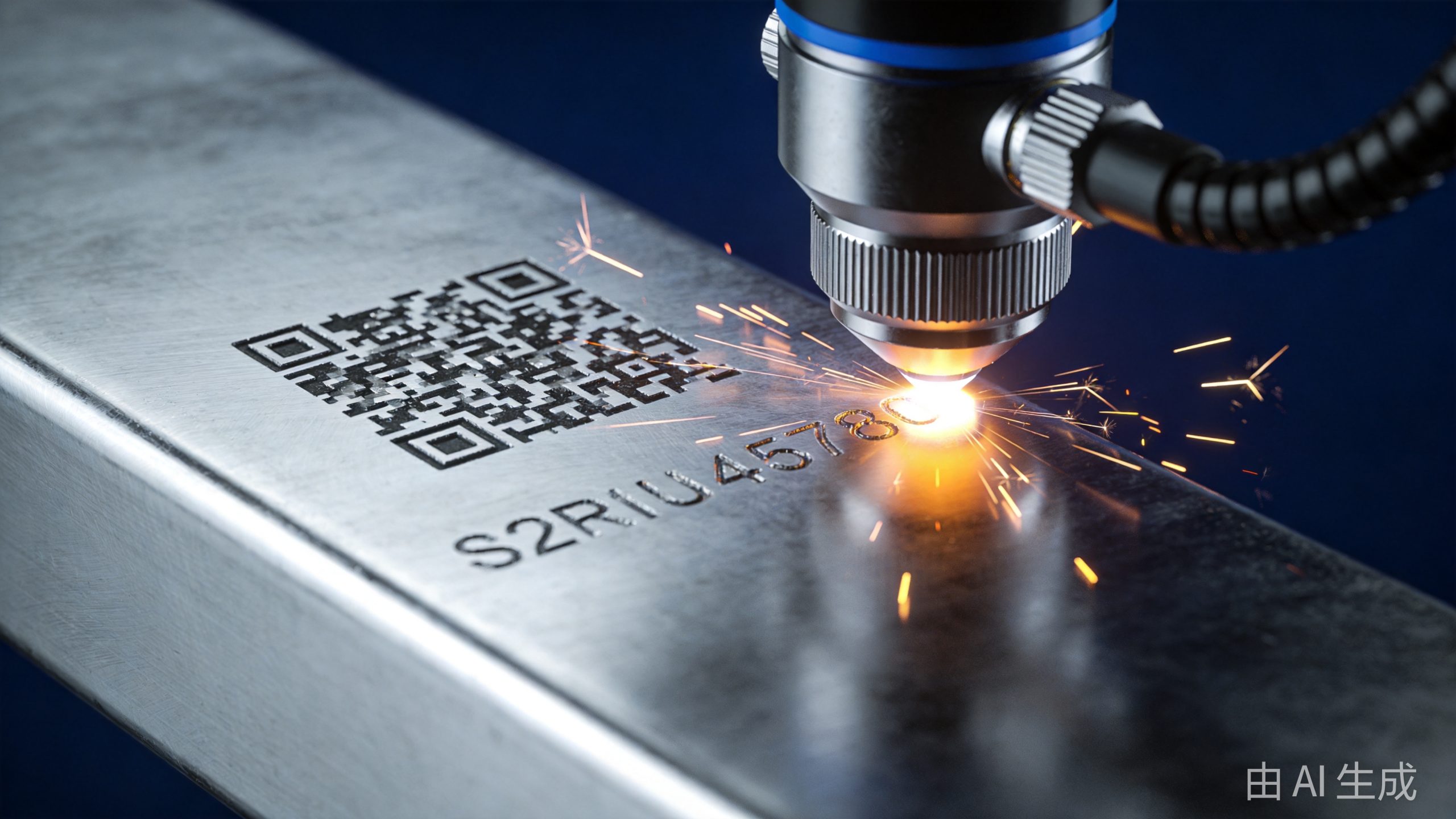
Fiber laser marking machines have become the industry standard for permanent part identification, product branding, and traceability. From medical devices to automotive components, these machines create crisp, durable marks on virtually any metal — and many plastics — in seconds.
But how exactly does a laser beam create a permanent mark on metal? In this guide, we break down the technology inside a fiber laser marking machine — component by component, process by process.
Quick Overview: What Is a Fiber Laser Marking Machine?
A fiber laser marking machine uses a focused fiber laser beam to alter the surface of a material, creating a permanent mark. The mark can be text, logos, barcodes, QR codes, serial numbers, or complex graphics.
Unlike inkjet printing or chemical etching, laser marking is:
– Permanent: The mark is part of the material itself — it won’t wear off, fade, or be removed by solvents
– Non-contact: No physical tool touches the workpiece, so there’s no wear, no force, and no contamination
– Precise: Can create marks as small as a few microns, with sharp edges and high resolution
– Fast: Typical marking times are measured in milliseconds per mark
– Versatile: Works on metals, plastics, ceramics, coatings, and more
If you’re shopping for one, check out our Fiber Laser Marking Machine Buyer’s Guide or see how much they cost.
Core Components of a Fiber Laser Marking Machine
A fiber laser marking system consists of several key components working together. Let’s go through each one.
1. Fiber Laser Source
The laser source generates the laser beam that does the marking. In nearly all industrial laser marking machines, the laser source is a fiber laser.
Inside the fiber laser source:
– Pump diodes: Arrays of high-power laser diodes emit light at ~915–976 nm wavelength
– Active fiber: Optical fiber doped with ytterbium (Yb) that amplifies light to ~1064 nm (near-infrared)
– Fiber Bragg Gratings (FBGs): Act as mirrors at each end of the active fiber, creating the optical cavity that builds up laser energy
The 1064 nm wavelength is ideal for laser marking because:
– It’s well-absorbed by most metals and many plastics
– It can be delivered efficiently through fiber optic cables
– It produces high-quality marks with minimal heat affected zone
Common power levels for laser marking:
– 20W: Most popular, versatile for most metal and plastic marking applications
– 30W: Higher speed and deeper marking, good for production environments
– 50W: Heavy-duty, deep engraving, thick materials, high-volume production
– 100W+: Deep engraving, mold making, thick material removal
Most marking applications use pulsed fiber lasers (not continuous wave) because the short pulses deliver high peak power with minimal heat input.
2. Galvanometer Scanner (Galvo Head)
The galvanometer scanner — or “galvo head” — is the precision optical system that moves the laser beam across the workpiece to create the mark. It’s one of the most critical components for marking quality and speed.
Inside the galvo scanner:
– X and Y galvanometer motors: Two high-speed, precision motors that tilt small mirrors
– X and Y mirrors: Lightweight, highly reflective mirrors (usually gold-coated for 1064 nm) mounted on the galvanometer shafts. Each mirror deflects the beam along one axis
– F-theta lens: A special flat-field lens at the output of the scanner. Unlike a normal lens that focuses light to a point at varying distances, the f-theta lens ensures the focal point stays on a flat plane across the entire marking field. This is essential for consistent mark quality across the working area
– Protective window: A sacrificial window that protects the expensive f-theta lens from dust, debris, and fumes
The galvo scanner can move the laser beam extremely fast — scan speeds of several meters per second are typical. This is why laser marking is so fast: the beam moves, not the workpiece or the laser head.
Marking field size (the area that can be marked without repositioning) typically ranges from 70×70 mm to 300×300 mm or more, depending on the f-theta lens focal length.
3. Fiber Optic Delivery Cable
The laser beam travels from the source to the galvo scanner through a fiber optic cable:
– Carries the laser beam efficiently with minimal energy loss
– Provides flexibility in machine layout
– Contains a single-mode or multi-mode fiber depending on the application
– Protected by a reinforced jacket for industrial environments
For most desktop marking machines, the fiber cable is short and integrated into the machine. For larger systems or robotic installations, longer cables (5–10 meters) are used.
4. Control System & Software
The control system is the brain of the machine:
Hardware:
– Controller board: Drives the galvanometer motors and controls laser parameters
– Power supply: Provides stable, regulated power to the laser source and scanner
– I/O interfaces: For connecting sensors, foot pedals, start buttons, and external equipment
Software:
– Marking software: The program where operators create and edit marking content (text, logos, barcodes, serial numbers, etc.)
– Graphic import: Supports importing vector graphics (AI, DXF, PLT) and bitmap images (BMP, JPG, PNG)
– Variable data: Supports serial numbers, date/time codes, shift codes, and database-driven variable marking
– Parameter control: Operators set laser power, pulse frequency, marking speed, scan count, and other parameters
– Mark preview: Shows a preview of the mark before it’s made
Popular marking software includes EZCAD, MarkingMate, and proprietary software from machine manufacturers.
5. Worktable / Positioning System
The workpiece must be positioned correctly within the laser’s focal plane for quality marking:
– Manual worktable: Simple Z-axis lift table for adjusting height manually. Common in desktop and entry-level machines.
– Motorized Z-axis: Electrically controlled height adjustment, often with preset focal positions. More convenient for production.
– XY table: For marking larger areas or multiple parts in a batch. The table moves the workpiece under a fixed galvo head.
– Rotary attachment: A rotary fixture for marking cylindrical or round parts (pipes, shafts, rings, bottles). The part rotates while the laser marks.
– Conveyor system: For inline production marking — parts pass under the laser on a conveyor belt.
– Robotic integration: The galvo head is mounted on a robot arm for marking complex 3D parts or accessing hard-to-reach surfaces.
6. Enclosure & Safety Features
Laser marking machines include safety features appropriate for their Class 4 laser:
– Safety enclosure: Most industrial machines are fully enclosed with interlocked doors — the laser shuts off if a door is opened
– Safety interlocks: Door switches, key switches, emergency stop buttons
– Fume extraction port: Connection point for fume extraction (especially important for plastics and coated metals)
– Laser safety class labeling: Clear labeling of laser class and wavelength
– Beam path enclosure: The entire beam path from source to workpiece is enclosed
How Laser Marking Works: The Science
Laser marking works by focusing a laser beam onto the surface of a material, causing a physical or chemical change that creates a visible mark. There are several different mechanisms, depending on the material and laser parameters.
1. Annealing (Surface Marking)
How it works: The laser heats the surface of the metal (typically steel or stainless steel) to a temperature below the melting point. This causes oxidation (color change) on the surface without removing any material.
Result: A smooth, flat mark with a color change — typically black, brown, or blue depending on the material and parameters.
Best for: Stainless steel, titanium, and other metals where a smooth, corrosion-resistant mark is needed. Common in medical devices, food equipment, and aerospace.
Key feature: No material removal, no change in surface roughness, mark is still corrosion-resistant.
2. Engraving (Material Removal)
How it works: The laser removes (vaporizes) a small amount of material from the surface, creating a recessed mark.
Result: A visible, tactile mark with depth — you can feel it with your finger.
Best for: Applications where the mark must be very durable and visible, or where material removal is acceptable. Common in tools, automotive parts, and industrial equipment.
Depth: Typically 10–50 microns for standard marking; up to 1 mm or more for deep engraving with high-power lasers.
3. Foaming (Plastic Marking)
How it works: The laser heats the plastic, causing it to melt and release gas bubbles. These bubbles scatter light, creating a lighter-colored (usually white or light gray) mark on darker plastic.
Result: A high-contrast, slightly raised mark on plastic.
Best for: Dark-colored plastics — ABS, PC, PBT, nylon, etc. Very common in electronics, automotive interiors, and consumer products.
4. Color Change (Chemical Change)
How it works: The laser causes a chemical change in the material — either breaking down pigments, creating new chemical compounds, or altering the material’s crystal structure.
Result: A color change without significant material removal or surface deformation.
Best for: Certain plastics and coated materials. Can produce various colors depending on the material and parameters.
5. Ablation / Coating Removal
How it works: The laser removes a surface coating (paint, anodizing, plating, oxide layer) to reveal the underlying material.
Result: A high-contrast mark where the coating has been removed, exposing the base material underneath.
Best for: Anodized aluminum, painted metals, coated parts. Very common in consumer electronics (e.g., smartphone logos).
Step-by-Step: How the Marking Process Works
Now let’s walk through the complete marking process.
Step 1: Design & Programming
The operator uses the marking software to:
1. Create or import the mark content — text, logos, barcodes, serial numbers, etc.
2. Position and size the mark on the workpiece
3. Select the appropriate material preset or manually set parameters
4. Preview the mark to verify placement and content
For variable data (serial numbers, date codes), the operator sets the numbering format, starting value, and increment.
Step 2: Part Loading & Positioning
The operator places the workpiece in the marking area:
– On a manual machine: Place the part on the worktable and align it using guides or fixtures
– On an automated machine: The part is loaded by a robot, conveyor, or indexing table
– For cylindrical parts: Mount the part in a rotary attachment
Step 3: Focus Adjustment
The laser must be properly focused on the workpiece surface for optimal marking quality:
– The focal distance is determined by the f-theta lens
– At the focal plane, the beam is at its smallest diameter (typically 20–50 microns) and highest intensity
– Moving the workpiece out of focus reduces mark quality and contrast
Most machines have a marked working distance or a focus tool (like a pointer or acoustic indicator) to help operators set the correct height.
Step 4: Test Mark (Optional but Recommended)
Before marking production parts, operators often make a test mark on:
– A scrap piece of the same material
– An inconspicuous area of the actual part
This verifies that the mark quality, position, and parameters are correct before running production.
Step 5: Marking
When the operator presses start (or the machine receives an automated signal):
1. The laser source fires — pulsed laser energy travels through the fiber cable
2. The galvo scanner mirrors begin moving, deflecting the beam in the pattern of the mark
3. The f-theta lens focuses the scanned beam onto the workpiece surface
4. The focused laser energy interacts with the material surface, creating the mark (by annealing, engraving, foaming, etc.)
5. The fume extraction system (if used) pulls away any fumes or particles
The marking process itself is very fast — a typical mark might take 0.1–2 seconds depending on complexity and size.
Step 6: Completion & Unloading
After marking:
– The laser turns off
– The operator (or automation system) removes the finished part
– The next part is loaded
– For serial numbers or variable data, the software automatically increments to the next value
Key Marking Parameters
Understanding these parameters helps operators produce consistent, high-quality marks:
Laser Power
– Higher power = faster marking, deeper engraving
– Too much power = excessive heat, rough edges, material damage
– Too little power = faint or incomplete marks
Pulse Frequency (Repetition Rate)
– Number of laser pulses per second (kHz)
– Higher frequency = more pulses per second, smoother and faster marking
– Lower frequency = more energy per pulse, better for deep engraving
– Typical range: 20–200 kHz for marking, 1–20 kHz for deep engraving
Pulse Duration (Pulse Width)
– How long each laser pulse lasts (typically nanoseconds for marking)
– Shorter pulses = higher peak power, less heat affected zone
– Longer pulses = more heat, better for annealing and color marking
– Some advanced machines offer adjustable pulse width
Marking Speed (Scan Speed)
– How fast the galvo scanner moves the beam across the surface
– Faster speed = higher throughput, but less energy per unit length
– Slower speed = darker/deeper marks, but slower production
– Typical range: 100–5000 mm/s
Fill Density / Hatch Spacing
– For filled areas (not just outlines), the distance between adjacent scan lines
– Tighter spacing = smoother, more uniform fill, but slower marking
– Typical range: 0.01–0.1 mm
Number of Passes
– How many times the laser scans over the same area
– Multiple passes can create darker/deeper marks
– More passes = slower marking but potentially better quality for certain applications
Frequency Modulation (Q-Switching)
– Some machines allow varying the pulse frequency during marking
– Can create different effects — e.g., lower frequency for outline, higher for fill
Types of Fiber Laser Marking Machines
Desktop / Benchtop Marking Machines
– Compact enclosure with a worktable inside
– Ideal for: Small parts, job shops, R&D labs, low to medium volume
– Power range: 20–50W
– Price range: $3,000–$15,000
Floor-Standing / Cabinet Marking Machines
– Larger enclosure with more workspace and features
– Ideal for: Production environments, medium to high volume
– Power range: 20–100W+
– Price range: $10,000–$50,000
Flying / On-the-Fly Marking Machines
– Integrated with production lines — parts pass under the laser on a conveyor
– Ideal for: High-volume continuous production, packaging lines, pipe/tube marking
– Power range: 20–100W
– Price range: $15,000–$60,000
Robotic Laser Marking Systems
– Galvo head mounted on a robot arm for 3D marking
– Ideal for: Complex 3D parts, automotive, aerospace, multi-station production
– Power range: 20–100W
– Price range: $50,000–$200,000+
Portable / Handheld Laser Marking Machines
– Lightweight marking head connected by a fiber cable
– Ideal for: Large parts that can’t be moved, field marking, on-site engraving
– Power range: 20–50W
– Price range: $5,000–$20,000
What Can Be Marked?
Fiber laser marking machines can mark a wide range of materials:
Metals (Most Common)
– Stainless steel
– Carbon steel / mild steel
– Aluminum
– Copper & brass
– Titanium
– Gold & silver
– Platinum
– Nickel alloys
Plastics
– ABS
– Polycarbonate (PC)
– Nylon / PA
– PBT / PET
– PEEK
– PVC (some formulations)
– Polypropylene (PP, with additives)
Other Materials
– Ceramics (some types)
– Coated materials (anodized aluminum, painted metal, plated parts)
– Silicon (semiconductor wafers)
– Certain composites
The quality and type of mark depend on the material. For a detailed comparison of different laser types for marking, see our Fiber vs CO2 vs UV vs Diode Laser Marking article.
Common Applications
Industrial Traceability
– Serial numbers
– Barcodes & Data Matrix codes
– Date & lot codes
– Part numbers
– UID marking (military/aerospace)
Branding & Logo
– Company logos
– Brand names
– Product branding
– Decorative patterns
Medical Devices
– Surgical instruments
– Implants
– Medical equipment
– Sterilization indicators
Automotive & Aerospace
– Engine components
– Chassis parts
– Fasteners
– VIN marking
– Aerospace part traceability
Electronics
– PCB marking
– Semiconductor wafers
– Connectors
– Consumer electronics casings
Tools & Hardware
– Hand tools
– Cutting tools
– Bearings
– Fasteners
See more in our article on 12 Industrial Applications of Laser Marking.
Safety Considerations
Fiber laser marking machines are Class 4 laser devices and require proper safety measures:
Laser Safety
– Enclosed machines with interlocks are the safest — the laser can’t fire if doors are open
– Laser safety eyewear matched to the 1064 nm wavelength is required for open-beam systems
– Never look directly at the laser beam or its reflection
– Keep the work area clear of reflective materials
Fume Safety
– Laser marking of metals, plastics, and coatings produces fumes and particulates
– Always use fume extraction, especially for production environments
– The specific hazard depends on the material being marked (e.g., chromium fumes from stainless steel, PVC fumes from vinyl)
– HEPA filtration and activated carbon are standard
Electrical Safety
– High-voltage components inside the laser source and power supply
– Only qualified technicians should service internal components
– Proper grounding is essential
Fire Safety
– Laser energy can ignite flammable materials
– Keep the work area clear of flammables
– Have appropriate fire suppression available
Maintenance Requirements
Fiber laser marking machines are known for low maintenance requirements. Here’s what’s typically needed:
| Component | Maintenance Frequency | What’s Done |
|---|---|---|
| Protective window | Weekly–Monthly | Clean or replace if contaminated |
| Fume extraction filters | Per usage | Replace when full or flow drops |
| F-theta lens | Quarterly–Annually | Inspect and clean |
| Fiber cable | Monthly–Quarterly | Inspect for damage, clean connectors |
| Galvo scanner | Annually | Calibration and inspection |
| Chiller (if applicable) | Per manufacturer | Filter changes, water quality checks |
| Laser source | 50,000–100,000 hr life | No routine maintenance needed |
The fiber laser source has a typical lifetime of 50,000–100,000 hours — essentially the life of the machine. Many manufacturers offer 100,000-hour warranties on the laser source.
Conclusion
A fiber laser marking machine works by generating a pulsed fiber laser beam, delivering it through a fiber optic cable to a galvanometer scanner, and focusing it onto the workpiece surface with an f-theta lens. The rapid scanning motion of the galvo mirrors creates the mark pattern, while the laser energy interacts with the material surface to produce a permanent mark — through annealing, engraving, foaming, or ablation depending on the material and parameters.
The combination of speed, precision, permanence, and low operating cost explains why fiber laser marking has become the dominant technology for industrial part identification and traceability.
If you’re considering a fiber laser marking machine for your business, explore Transon Laser’s laser marking machine lineup, check out our Complete Buyer’s Guide, or contact our team for a consultation.
Further Reading:
– Fiber Laser Marking Machine: Complete Buyer’s Guide
– How Much Does a Fiber Laser Marking Machine Cost?
– Fiber vs CO2 vs UV vs Diode Laser Marking Comparison
– 12 Industrial Applications of Laser Marking
– Fiber Laser Marking Machine Parameters: A Complete Technical Reference