Introduction
A fiber laser marking machine has become essential equipment for manufacturers across industries — from automotive parts and electronics to medical devices and promotional products. Unlike traditional marking methods such as silk screening, chemical etching, or mechanical stamping, fiber laser marking creates permanent, high-precision marks without contact, consumables, or post-processing.
But with so many options on the market — different power levels, machine styles, marking modes, and price points — choosing the right fiber laser marker can be overwhelming. This guide walks through everything you need to know to make an informed buying decision.
1. How Fiber Laser Marking Works
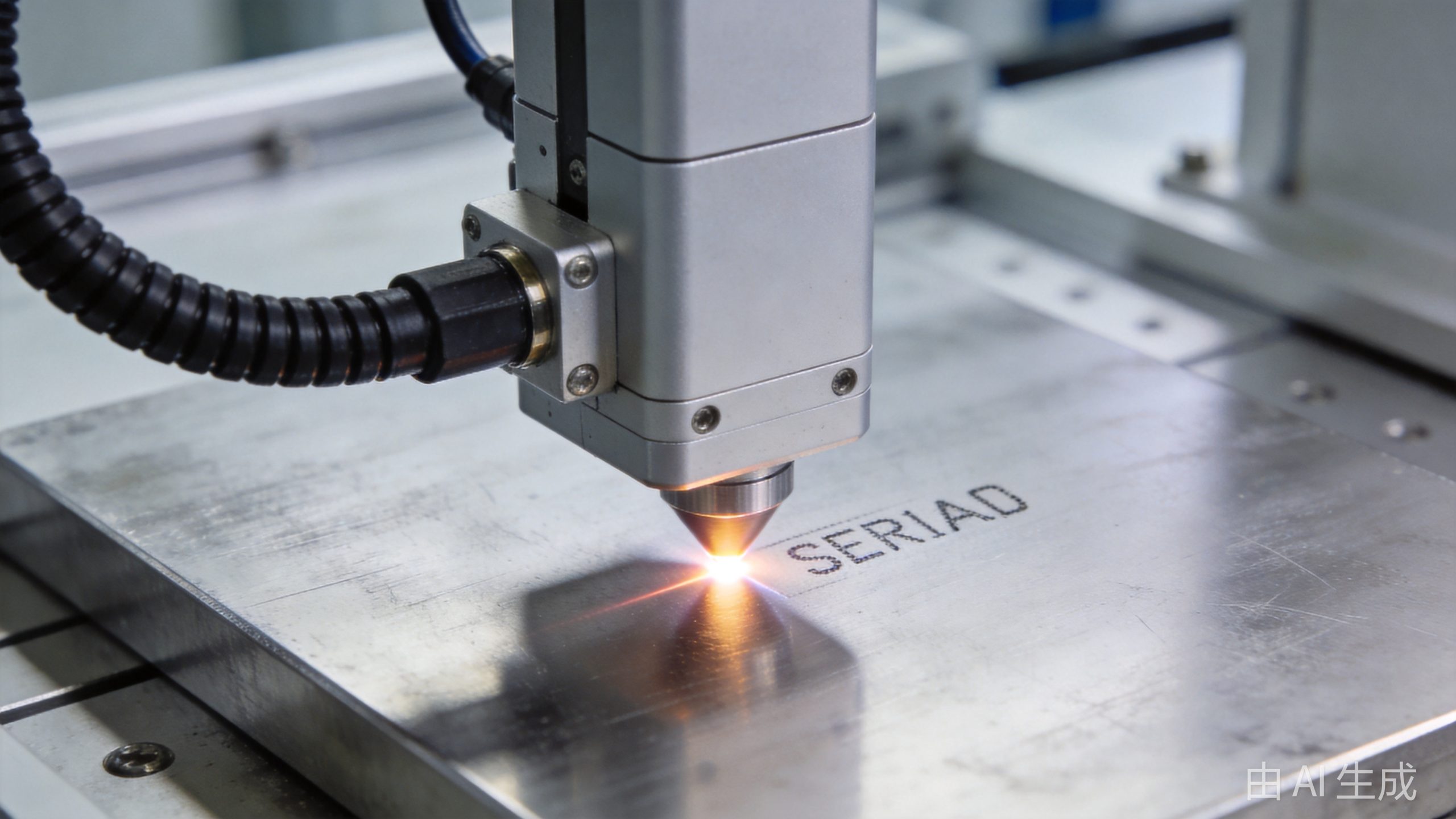
Fiber laser marking uses a focused fiber laser beam to alter the surface of a material, creating a permanent mark. The process is non-contact and requires no consumables like inks or chemicals.
Common Marking Methods:
Laser Engraving
- Material is physically removed (vaporized) to create deep, permanent marks
- Best for parts that will see wear or abrasion
- Typical depth: 0.02–0.5mm depending on material and laser power
Laser Annealing (for metals)
- Heats the metal surface to change its color without removing material
- Creates black, white, or colored marks on stainless steel, titanium, and other metals
- No material loss — surface remains smooth
- Ideal for medical devices, food equipment, and aerospace parts
Laser Ablation / Surface Removal
- Removes a surface coating (paint, anodization, plating) to reveal the material underneath
- Common on anodized aluminum, painted surfaces, and coated metals
- Creates high-contrast marks with clean edges
Laser Foaming (for plastics)
- Heats plastic to create raised, foamed marks
- Common on ABS, PP, PE, and other engineering plastics
- Creates light-colored marks on dark plastic
2. Power Options: 20W, 30W, 50W, or 100W?
Laser power is the primary factor in marking speed and depth capability.
| Power Level | Typical Applications | Marking Speed | Best For |
|---|---|---|---|
| 20W | Basic marking on plastics, light metal marking | Standard | Entry-level, small parts, low-volume production |
| 30W | General-purpose metal and plastic marking | Fast | Most common — balances speed and cost |
| 50W | Deep engraving, thick materials, high-speed production | Very fast | Industrial production, deep marking requirements |
| 100W+ | Heavy engraving, cutting thin materials, very high speed | Fastest | High-volume manufacturing, deep engraving on hard metals |
Key Recommendation
For most manufacturing and job shop applications, 30W is the sweet spot. It handles the vast majority of marking tasks — from serial numbers and barcodes on metal parts to logo marking on plastics — at a reasonable price point.
Choose 50W+ if you need:
- Deep engraving (>0.1mm) on metal
- Very high production speeds
- Marking on hard or reflective materials
- The ability to cut thin materials (foils, thin sheets)
3. Machine Types and Configurations
Fiber laser marking machines come in several physical configurations, each suited to different production environments.
Desktop / Benchtop Models
- Compact design — fits on a workbench
- Enclosed or semi-enclosed — safer for office or lab environments
- Small marking area — typically 110×110mm to 200×200mm
- Best for: Small parts, R&D labs, jewelry, electronics repair shops
Floor-Standing / Cabinet Models
- Industrial-grade construction — designed for production floors
- Larger marking area — up to 300×300mm or more
- Stable, vibration-free base — for consistent marking quality
- Best for: Manufacturing facilities, high-volume production
Handheld / Portable Models
- Lightweight marking head — can be moved to the workpiece
- Flexible positioning — marks large or heavy parts that can’t be moved
- Battery or mains powered options available
- Best for: Large workpieces, on-site marking, repair operations
Conveyor / In-Line Systems
- Integrated with production lines — marks parts as they move
- Sensor-triggered marking — fully automated
- High throughput — ideal for mass production
- Best for: High-volume manufacturing, packaging lines, automotive production
Rotary / 3D Marking
- Rotary attachment — marks cylindrical parts (pipes, bearings, rings)
- 3D marking — marks curved, angled, or irregular surfaces
- Best for: Round parts, complex geometries, mold cavities
4. Core Components to Evaluate
The quality of core components directly affects marking quality, reliability, and machine lifespan.
Laser Source
The laser source is the heart of the machine and typically accounts for 40–60% of the cost.
| Brand | Origin | Position | Typical Lifespan |
|---|---|---|---|
| IPG | USA/Germany | Premium | 100,000+ hours |
| Raycus | China | Top-tier Chinese | 80,000–100,000 hours |
| MAX | China | Mid-to-high end | 80,000–100,000 hours |
| JPT | China | Good value | 70,000–80,000 hours |
Recommendation: For most B2B buyers, Raycus or MAX sources offer the best balance of performance, reliability, and cost. IPG is worth the premium for 24/7 production environments where uptime is critical.
Galvanometer Scanner (Galvo)
The galvo scanner directs the laser beam across the marking surface. Its speed and precision directly affect marking quality and throughput.
- Look for: Digital galvo scanners with high-speed motors (≥30,000 mm/s marking speed)
- Important specs: Scan angle (typically ±15° to ±25°), repeatability (≤±0.001mm), response time
- Premium brands: Scanlab (Germany), Raylase (Germany), JCZ (China)
Field Lens (F-theta Lens)
The field lens focuses the laser beam over the marking area. Quality affects marking uniformity across the entire field.
- Marking area options: 110×110mm, 150×150mm, 200×200mm, 300×300mm
- Larger area = lower resolution — choose the smallest area that fits your parts
- Material: Zinc selenide (ZnSe) for CO2, fused silica for fiber
Control Software
The software controls marking content, parameters, and automation features.
Essential features:
- Supports text, barcodes (Code 128, QR, Data Matrix), logos, serial numbers
- Variable data marking (serial numbers, date codes, batch codes)
- Import capabilities (AI, DXF, PLT, BMP, JPG)
- Parameter presets for different materials
- Multi-language support
Advanced features:
- 3D marking capability
- Rotary axis control
- Vision alignment system
- PLC / automation integration
- Database connectivity
5. Material Compatibility
Fiber lasers (typically 1064nm wavelength) mark a wide range of materials.
Metals (Excellent Results)
- Stainless steel — annealing for color marking, engraving for deep marks
- Carbon steel / mild steel — deep engraving, annealing
- Aluminum — oxide layer removal, black marking
- Brass and copper — surface marking (reflective, may need higher power)
- Titanium — color annealing
- Gold and silver — jewelry marking
Plastics (Good to Excellent)
- ABS — excellent contrast (foaming)
- Polycarbonate (PC) — good marking
- Nylon / PA — good results
- PEEK — medical device marking
- PP / PE — may need additives for best contrast
- PVC — generally not recommended (toxic fumes)
Other Materials
- Ceramics — good marking with appropriate parameters
- Coated materials — excellent (removes coating)
- Rubber — limited (depends on type)
- Glass — generally poor with standard fiber lasers (UV or CO2 better)
6. Key Specifications to Compare
When evaluating different fiber laser marking machines, compare these specifications side by side:
| Specification | What to Look For |
|---|---|
| Laser power | Match to your material and depth requirements |
| Wavelength | 1064nm standard for fiber (UV for plastics/glass, green for sensitive materials) |
| Pulse frequency | 20–200kHz typical; wider range = more material versatility |
| Pulse width | Narrow pulses for fine detail, wider for deeper marks |
| Marking speed | ≥7,000 mm/s minimum; ≥30,000 mm/s for high-speed models |
| Marking area | Smallest area that fits your parts (larger = lower resolution) |
| Repeatability | ≤±0.001mm for precision applications |
| Line width | 0.01–0.2mm typical; finer = more detailed marks |
| Cooling | Air cooling for ≤30W; water cooling for 50W+ |
| Power supply | 220V single-phase standard; check voltage requirements |
7. Safety Considerations
Fiber laser markers are Class 4 laser devices — proper safety measures are essential.
Required Safety Features:
- Enclosure (for desktop/cabinet models) — interlocked doors prevent laser access
- Key switch — prevents unauthorized use
- Emergency stop — easily accessible
- Laser safety glasses — wavelength-specific (1064nm for fiber lasers)
- Warning lights and audible alarms — indicate when laser is active
- Fume extraction — laser marking produces fumes and particulates
Safety Best Practices:
- Never look directly at the laser beam or its reflection
- Always wear appropriate laser safety glasses when operating
- Ensure proper ventilation and fume extraction
- Keep the work area clear of flammable materials
- Train all operators on laser safety protocols
- Post appropriate warning signs
8. Total Cost of Ownership
Don’t just look at the purchase price — consider the full cost of ownership over the machine’s lifespan.
| Cost Category | Details |
|---|---|
| Initial purchase | Machine + shipping + installation + training |
| Consumables | Virtually none (no inks, chemicals, or bits to replace) |
| Electricity | Low — typically 500–1500W operating power |
| Maintenance | Minimal — periodic lens cleaning, annual inspection |
| Labor | One operator can run multiple machines |
| Lifespan | Laser source: 70,000–100,000 hours (5–10+ years of typical use) |
Cost advantage over traditional methods:
- No consumables (ink, chemicals, stencils)
- Lower labor cost (one operator, faster marking)
- No waste disposal costs
- Higher uptime (no tool changes or setup between jobs)
Buyer’s Checklist
Use this checklist to evaluate each fiber laser marking machine you consider:
Must-Have Features:
- [ ] Appropriate power level for your materials and marking requirements
- [ ] Reputable laser source (Raycus, MAX, IPG, or equivalent)
- [ ] High-quality galvo scanner with fast marking speed
- [ ] Marking area sized for your parts
- [ ] Professional control software with barcode and variable data support
- [ ] Safety enclosure with interlocks (for enclosed models)
- [ ] Fume extraction system or connection port
- [ ] At least 2-year warranty on laser source
- [ ] Technical support and training included
Nice-to-Have Features:
- [ ] Rotary axis for cylindrical parts
- [ ] 3D marking capability
- [ ] Vision alignment system
- [ ] Conveyor integration capability
- [ ] Multiple language software interface
- [ ] Remote diagnostics and support
- [ ] Extended warranty option
Supplier Evaluation:
- [ ] Local service and spare parts availability
- [ ] Installation and operator training
- [ ] Technical support response time < 24 hours
- [ ] Reference customers in your industry
- [ ] Clear warranty terms and return policy
- [ ] Ability to provide sample marking on your parts
For a detailed breakdown of costs by power level and machine type, see our fiber laser marking machine price guide.
Further Reading
If you’re also exploring laser cutting options, see our comprehensive guide on choosing a fiber laser cutting machine and our detailed fiber laser vs CO2 laser comparison.
Conclusion
Choosing the right fiber laser marking machine comes down to matching the machine’s capabilities to your specific marking requirements. For most manufacturers, a 30W desktop or cabinet model with a Raycus or MAX laser source will deliver excellent results at a reasonable investment.
Before making a purchase, always request sample marking on your actual parts. Seeing the quality of marks on your own materials is the best way to evaluate a machine’s performance.
If you’re evaluating fiber laser marking machines for your business, consider not just the upfront cost, but the total value — permanent marks, zero consumables, high speed, and low maintenance make fiber laser marking one of the best ROI investments in manufacturing today.
Ready to find the right fiber laser marking machine for your application? Contact our team for a free consultation and sample marking on your parts.
Further Reading: Not sure which laser marking technology is right for you? See our full comparison of Fiber vs CO2 vs UV vs Diode Laser Marking Machine.
Explore our full range of fiber laser marking machines from Transon Laser. Contact us today for a free quote on our desktop laser marking machine.
Further Reading: Wondering what laser marking is used for? See our guide to 12 Industrial Applications of Laser Marking across 12 industries.